Section 2. Installing the PX-712A Internal ATAPI Drive
22 PX-712 Installation and Users Manual
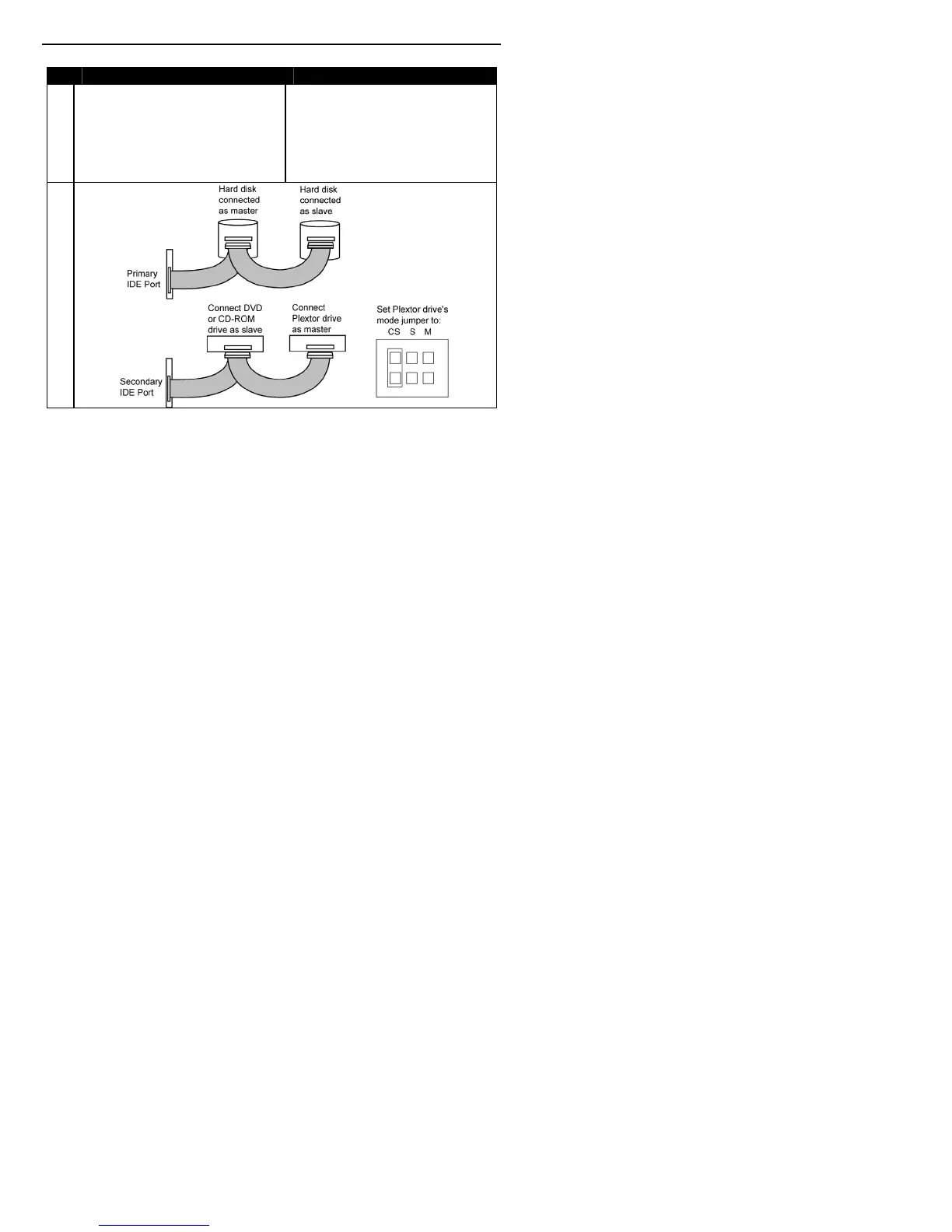
Before PX-712A Installation How to Install the PX-712A
D
System uses special Cable
Select cables; all devices are
jumpered for Cable Select.
Set the PX-712A’s mode
jumper to CSEL, and connect
the drive to the end of the
cable from the computer’s IDE
interface connector.
Figure 9: How to install the PX-712A if your computer is originally set
up in configuration D



 To Next Page