Section 5. Advanced Features and PlexTools Professional
PX-712 Installation and Users Manual 53
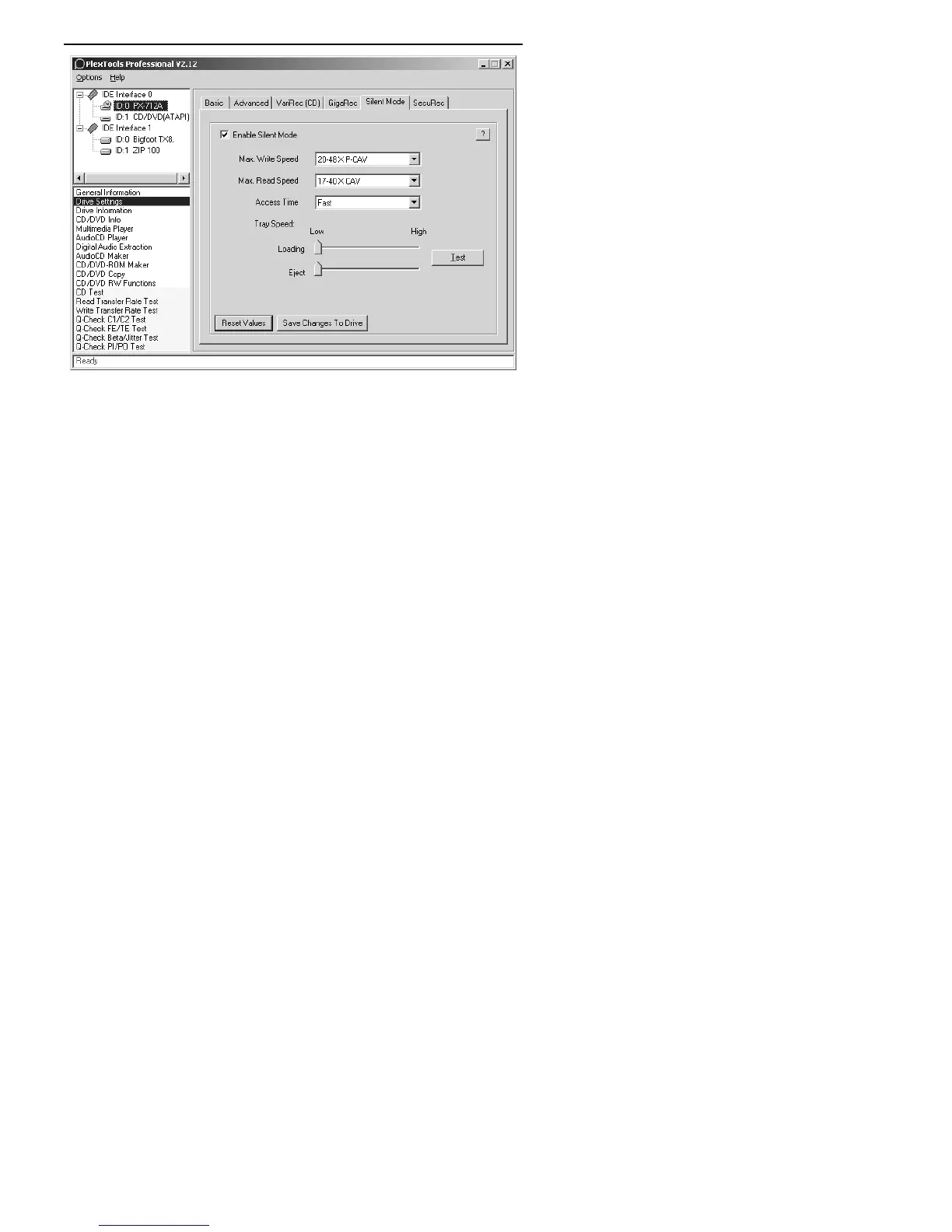
Figure 27: Silent Mode options in PlexTools Professional
6. To slow disc access by the drive, making spinup and spindown
slower and quieter, select the Access Time drop-down menu and
make a new selection. Choose Fast for a rapid access time (60
milliseconds), Middle for a medium access time (80 milliseconds),
and Slow for a low access time (120 milliseconds). The quietest
setting is Slow.
7. Use the Tray Speed Loading and Eject sliders to adjust the loading
and eject speed. Set a slider to the left to reduce the speed, making
the drive quieter. Set the slider to the right to increase the speed.
8. To test the tray speed, click the Test button.
9. Select Save Changes to Drive to save any Silent Mode changes to
the drive.
10. To return Silent Mode to the factory defaults (maximum speed),
click the Reset Values button. This also turns Silent Mode off.



 To Next Page