Section 5. Advanced Features and PlexTools Professional
60 PX-712 Installation and Users Manual
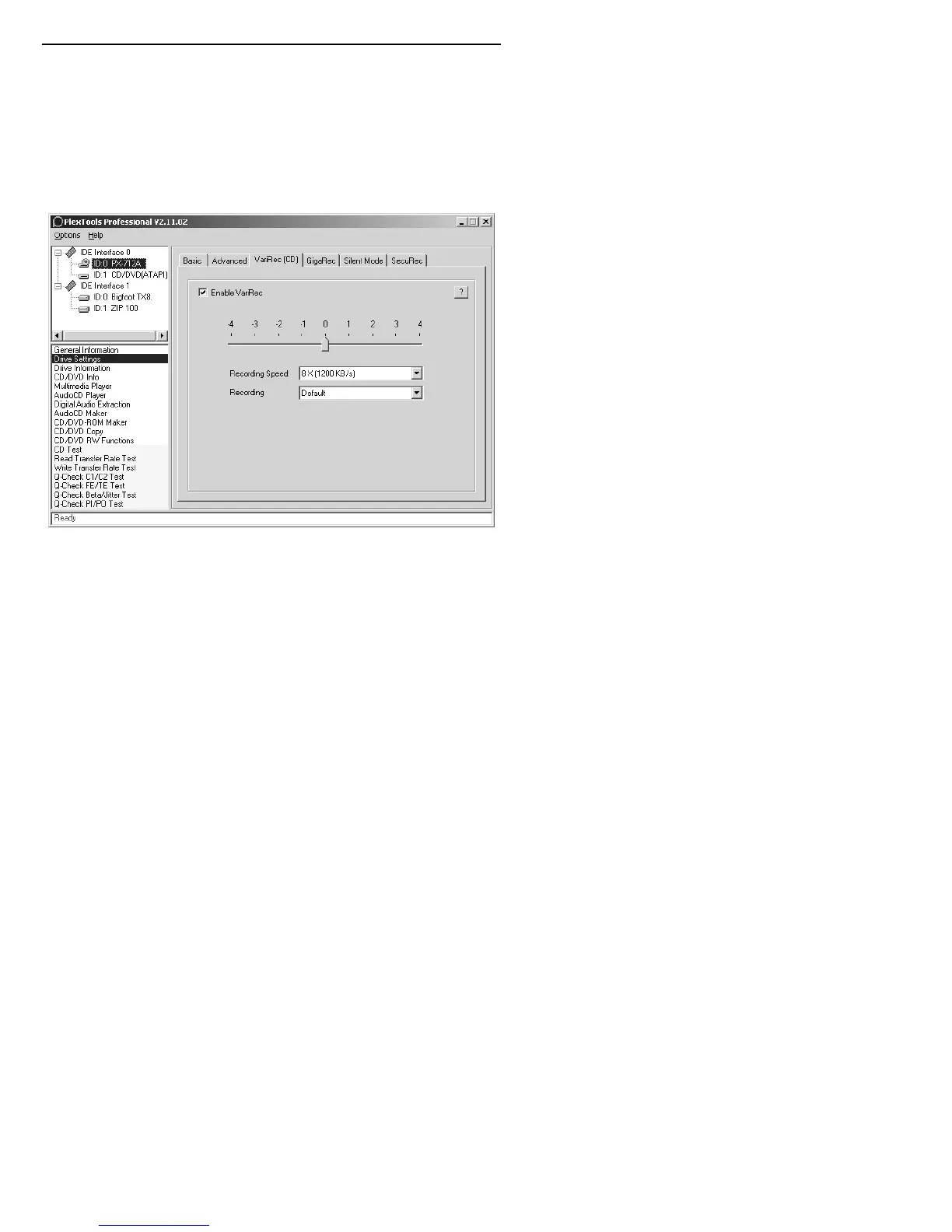
5. Move the slider to adjust the laser power in either the plus or minus
direction.
6. Click the Recording Speed drop-down menu to choose the recording
speed: for example, 8X or 4X for a CD-R.
7. Click the Recording drop-down menu to choose the recording
strategy: for example, Default, Azo, Cyanine, Phthalocyanine A, B,
C, or D.
Figure 29: Changing the VariRec parameters
8. Use AudioCD Maker or CD/DVD-ROM Maker from PlexTools
Professional to create a disc layout.
9. If necessary, in the list of recording options, make sure the Enable
VariRec box is checked and continue recording.
Your disc is recorded with the new laser strategy.


 To Next Page
 Loading...




