23
PS2_0001 [EN]
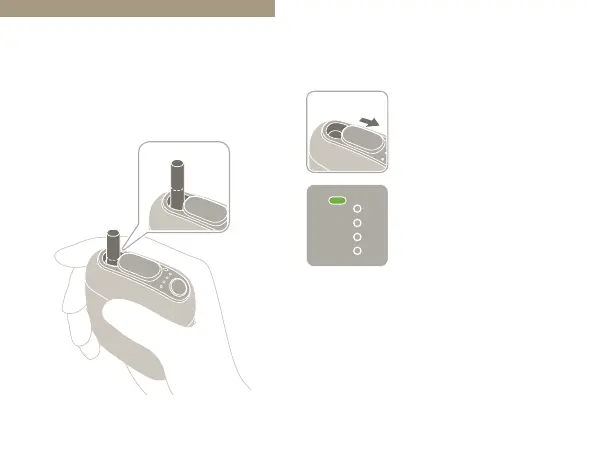
Inserting a Stick
Only use never-before-used tobacco
sticks.
The device will turn on.
The Mode Indicator
LED will light up in
green
*1
.
*1
The Mode Indicator LED lights up in green
when the “Taste Accelerator” (Page 21) is
turned on, and in blue when it is turned o.
The instructions in this User’s Guide assume
that the “Taste Accelerator” is turned on
(default setting).
1
Open the Sliding Cover.
• If the Mode Indicator LED does not light
up when you open the Sliding Cover, the
remaining battery level is extremely low.
Please charge the battery (Page 17).


 To Next Page