21
PS2_0001 [EN]
1
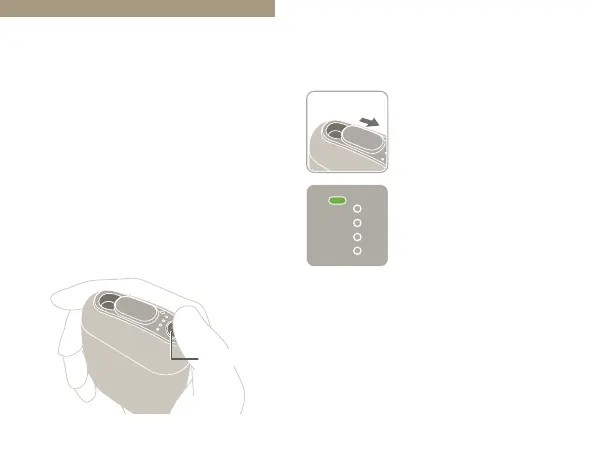
Open the Sliding Cover.
The device will turn on.
The Mode Indicator
LED will light up in
green
*1
.
*1
The Mode Indicator LED lights up in green
when the “Taste Accelerator” is turned on, and
in blue when it is turned o. The instructions
in this User’s Guide assume that the “Taste
Accelerator” is turned on (default setting).
• If the Mode Indicator LED does not light
up when you open the Sliding Cover, the
remaining battery level is extremely low.
Please charge the battery (Page 17).
“Taste Accelerator”
Switch the “Taste Accelerator” on or
o to select the strength of the taste.
“Taste Accelerator”
On: Strong taste (default setting)
O: Mild taste (the same strength as
the product released in 2019)
If you prefer not to change the
setting, proceed to “Inserting a Stick”
(Page 23).
Action Button


 To Next Page