8
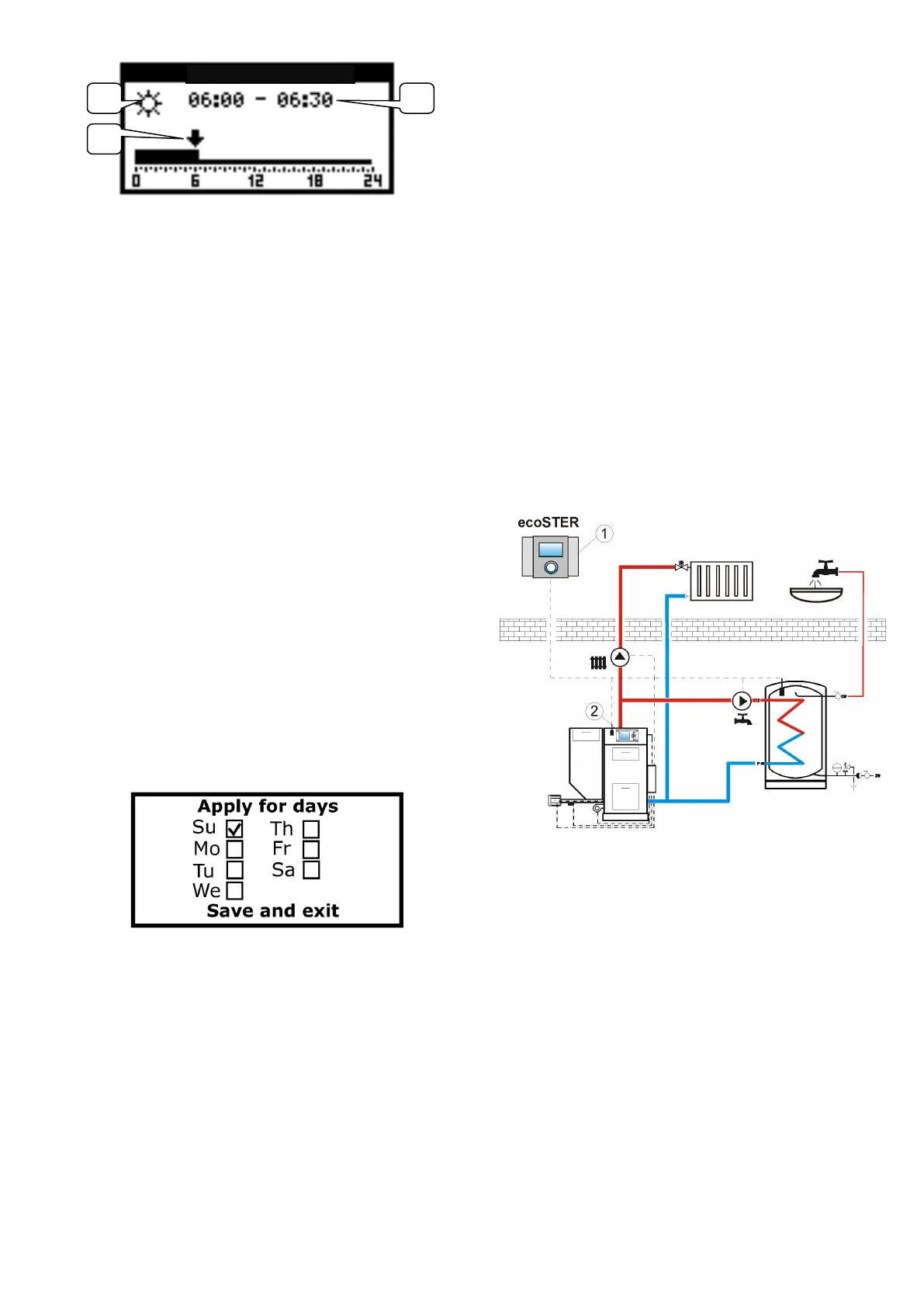
1. Preset temperature: comfort or
economic
2. Arrow indicating currently edited time
interval
3. Currently edited time interval.
In order to set required time interval, you
should:
− by turning the button, set the arrow on a
time zone starting hour
− by pushing the button, set the comfort or
economic temperature (it is indicated by
displaying a sun or moon symbol in the
upper left corner of edition window)
− turn the button and set the arrow on a
time zone ending hour
− finish the edition of a particular zone by
pushing the button
− if needed, repeat the steps above for
other time interval - in order to exit a
schedule window, push and hold the
button for at least 2 seconds
After exiting the schedule editing mode, a
window is displayed which enables you to
assign currently edited schedule to any day
of the week.
Select weekdays for which the currently
edited schedule is to be assigned and then,
select "Save and exit".
7.9 Preset room temperature
Preset night (economic) temperature is set
in:
MENU → Temperature settings → Night
temperature
Preset day (comfort) temperature is set in:
MENU → Temperature settings → Day
temperature
Preset anti-freeze temperature is set in:
MENU → Temperature settings → Anti-
freeze temperature
7.10 ecoMAX boiler regulator menu
In order to display the ecoMAX (2) boiler
regulator main screen, turn the button right
when the thermostat main screen is
displayed. Push the button shortly to display
the boiler regulator menu. This menu is
similar as in ecoMAX boiler regulator and
therefore, the instructions of boiler regulator
have to be followed.
The ecoSTER200 room panel displays alarms
reported by the ecoMAX boiler regulator. In
case when generation of sound alarm is
activated (pt. 7.11.6), pushing the button
will result in deactivation of acoustic signal.
However, the alarm will not be cancelled. For
safety reasons it could be done only by the
boiler regulator.
Diagram of cooperation of ecoSTER200 with
ecoMAX, where 1 - ecoSTER200, 2 - ecoMAX
boiler regulator.
7.11 Settings
In order to enter the setting menu, select:
MENU → Settings
7.11.1 Weather sensor
This parameter is used only in case when
there is an external temperature (weather)
sensor connected to the boiler regulator. Set
this parameter to display measured external
temperature in the main window of all
thermostats.



 To Next Page