SETTINGS
D-17
MacR6-Z0 – USER MANUAL
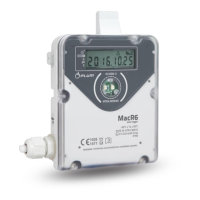
Description of display icons:
GSM MODEM WORK:
Blinking icon - active GPRS connection
(connected to APN of SIM card)
Constantly flashing icon - last GPRS
connection successful.
No icon - no connection in last attempt.
SIM CARD CONNECTION:
Blinking icon - active modem
connection.
Constantly flashing icon - last modem
connection successful.
No icon - no modem connection in last
attempt.
GSM RANGE:
Blinking icon - SIM card issue.
Constantly flashing icon - SIM
registering during last modem connection
successful. Signal strength is indicated by
the number of bars
No icon - SIM card not registered in GSM
network or signal strength does not
guarantee proper operation.
SIM LOCK:
Blinking icon - incorrect PIN code in
last registration attempt.
Constantly flashing icon - incorrect
PIN in last three attempts - SIM card
locked, PUK code needed.
No icon - PIN code correct.
DATA TRANSMISSION:
Blinking icon - active data
transmission
Constantly flashing icon - UP
arrow: successful registered data upload to
the server. DOWN arrow: successful
configuration download.
No icon - no transmission in last attempt.
LOCAL TRANSMISSION:
Constantly flashing icon -
presence of the interface near
OPTICAL INTERFACE window.
No icon - no interface present.
Blinking arrows - local data transfer active.
No arrows - local data transfer inactive.
TAMPER SWITCH:
Constantly flashing icon - gas
meter magnetic field interruption.
No icon - no interruption.
PULSE COUNTER:
Simultaneous blinking icons - gas
meter type detection. Icons will
turn to the animated while five
pulses from the gas meter will be counted.
These five pulses will be added to the
counter.
Alternate blinking icons - counting pulse
from the gas meter.
No icons - no changes on the pulse input -
gas meter not connected.
BATTERY LEVEL:
Battery level is presented by
number of bars. More = better.
Flashing icon - battery level below 10%.
No icon - battery level too low to turn the
GSM modem on.


 To Next Page
 Loading...