10
(3) Securely tighten the screws that were fastened temporarily.
This completes the assembly of the printer table.
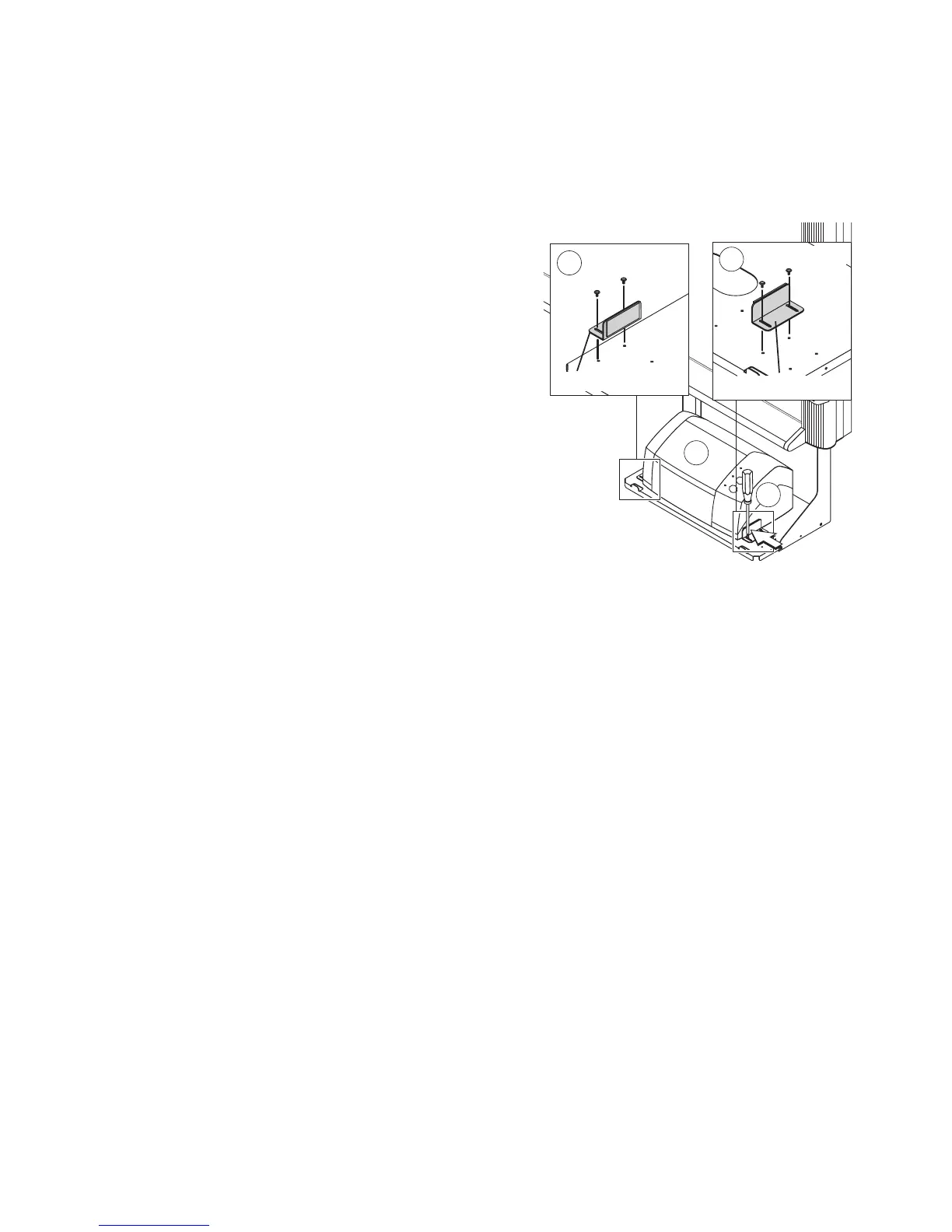
(4) Secure the printer with the printer guides.
Mount the printer guides to prevent the printer from falling
when the Copyboard is moved.
햲 Place the printer on the printer table and determine
the mounting position of the printer guides.
햳 Mount the printer guides with two M3×6 screws each.
When doing so, securely fasten one of either the left
or right printer guides.
햴 Firmly press the other printer guide against the printer
and then securely fasten it.
*1 When the depth of the printer is shorter than the printer
table, install the printer guides at the front and back to
secure the printer.
*2 When the printer and the printer table are the same
size, installation of the printer guides is not necessary.
Ink Jet Printers
2
1
3
2
M3×6 screws
Printer guide
M3×6 screws
Printer guide



 To Next Page