12
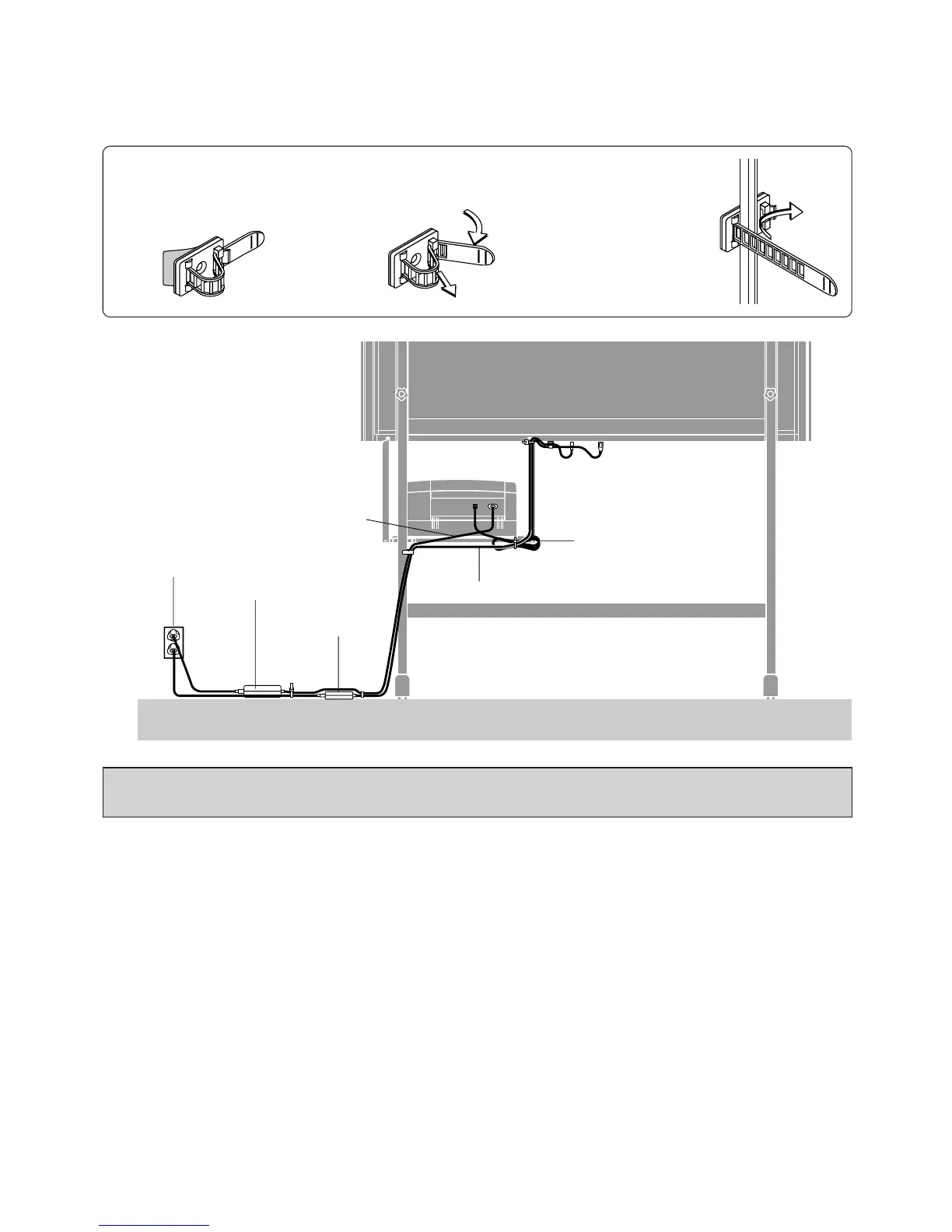
• Using the Cable Clip
Fasten the power cable and the USB cable with the supplied cable clips.
1.Remove the backing paper from
the rear surface of the clip and
affix the clip at the desired loca-
tion.
2.Raise the band of the clip, dis-
engage it from the hook, and pull
it out.
3.After finishing the cable
wiring, pass the band end
of the clip through the
guide slot and fasten it by
engaging it on the hook.
After the printer connections are completed, recheck that there are no loose screws and that the connectors are
securely fastened.
Wiring Example
Printer AC power cord
USB cable
Copyboard AC power cord
AC power outlet
Printer AC power adapter
AC power adapter
for copyboard



 To Next Page