E-21
Connecting Personal Computers and Video Equipment
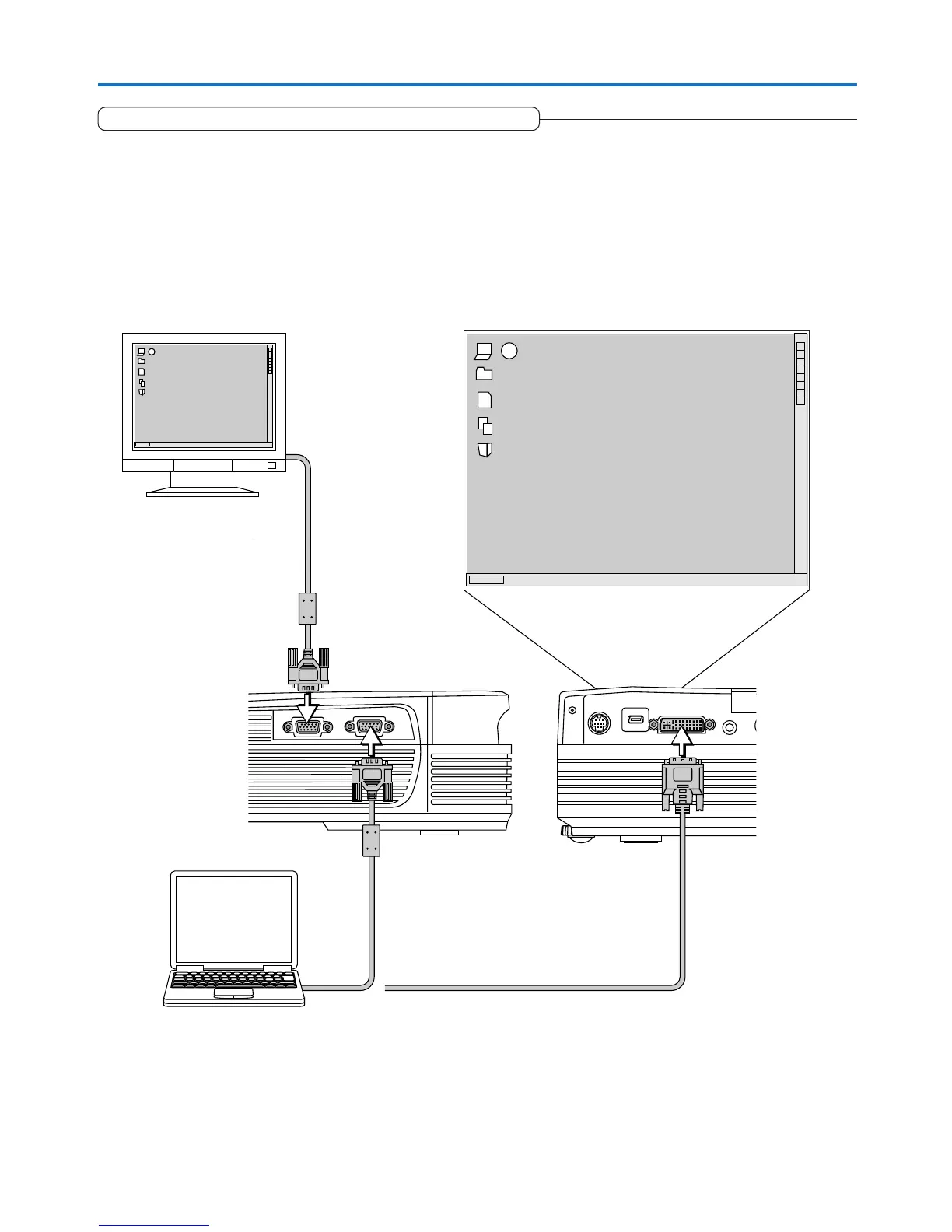
Connections with the RGB OUT Connector
• The image from the computer connected to the DVI or RGB IN connector is output.
• The image of the connector selected with the input selection function is output.
• If an input other than DVI or RGB is selected with the input selection function, the output does not switch.
• While controlling the personal computer in front of you, the same screen can be projected with the projector. This allows
personal computer control even from a position at which the projector image cannot be viewed.
RGB connector of
the monitor
(Mini D-Sub 15-pin)
Image projected to the screen


 To Next Page