20
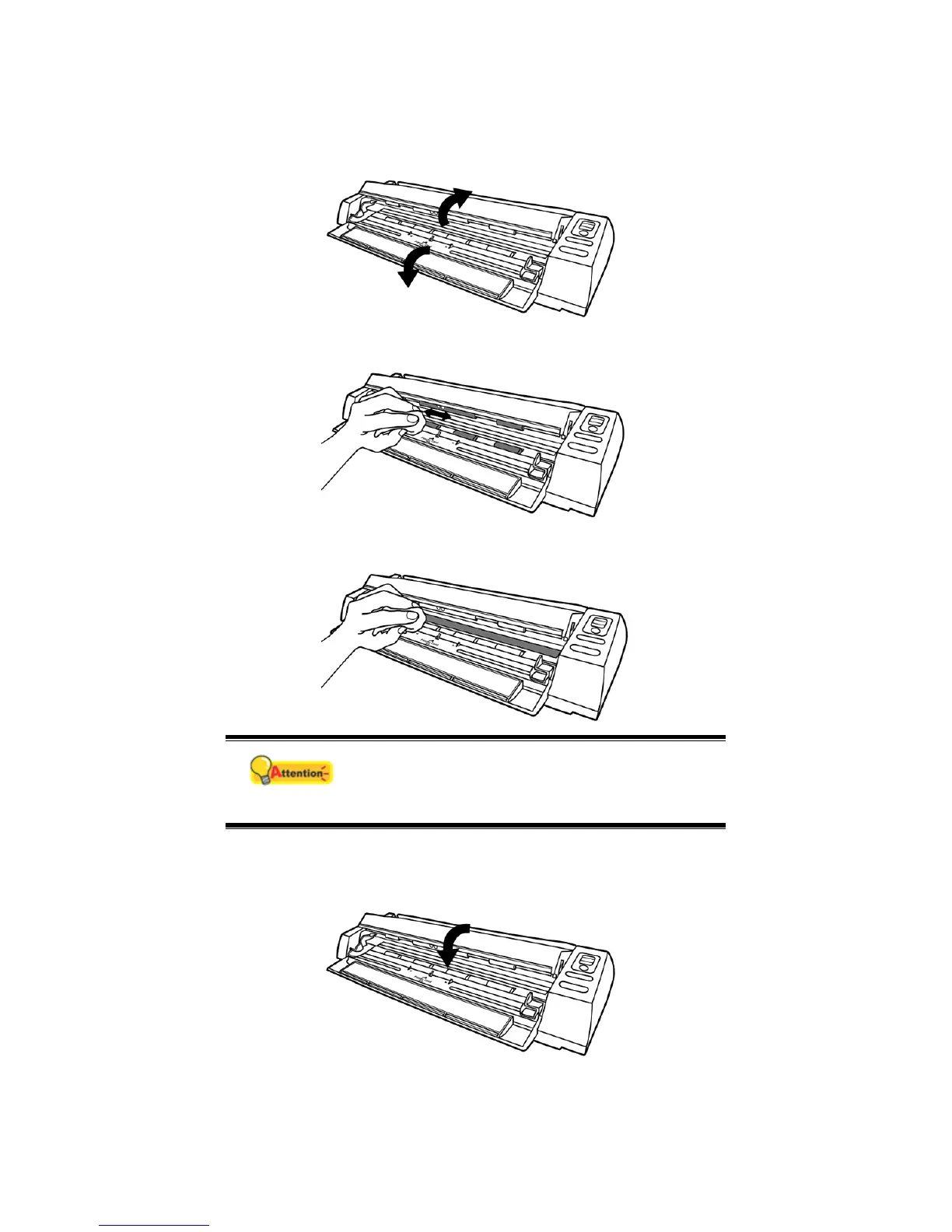
Clean Feed Roller and Glass
1. Open the scanner cover gently.
2. Wipe the Feed Roller from side to side and then roll it.
3. Clean the glass side to side. Repeat this until its entire surface is cleaned.
Attention
Do not spray cleaner directly onto the scanner
glass. Excess liquid residue may fog or damage
the scanner.
4. Wait for cleaned areas to dry completely.
5. Press down the revolt bracket until it snaps back into place.







 To Next Page