27
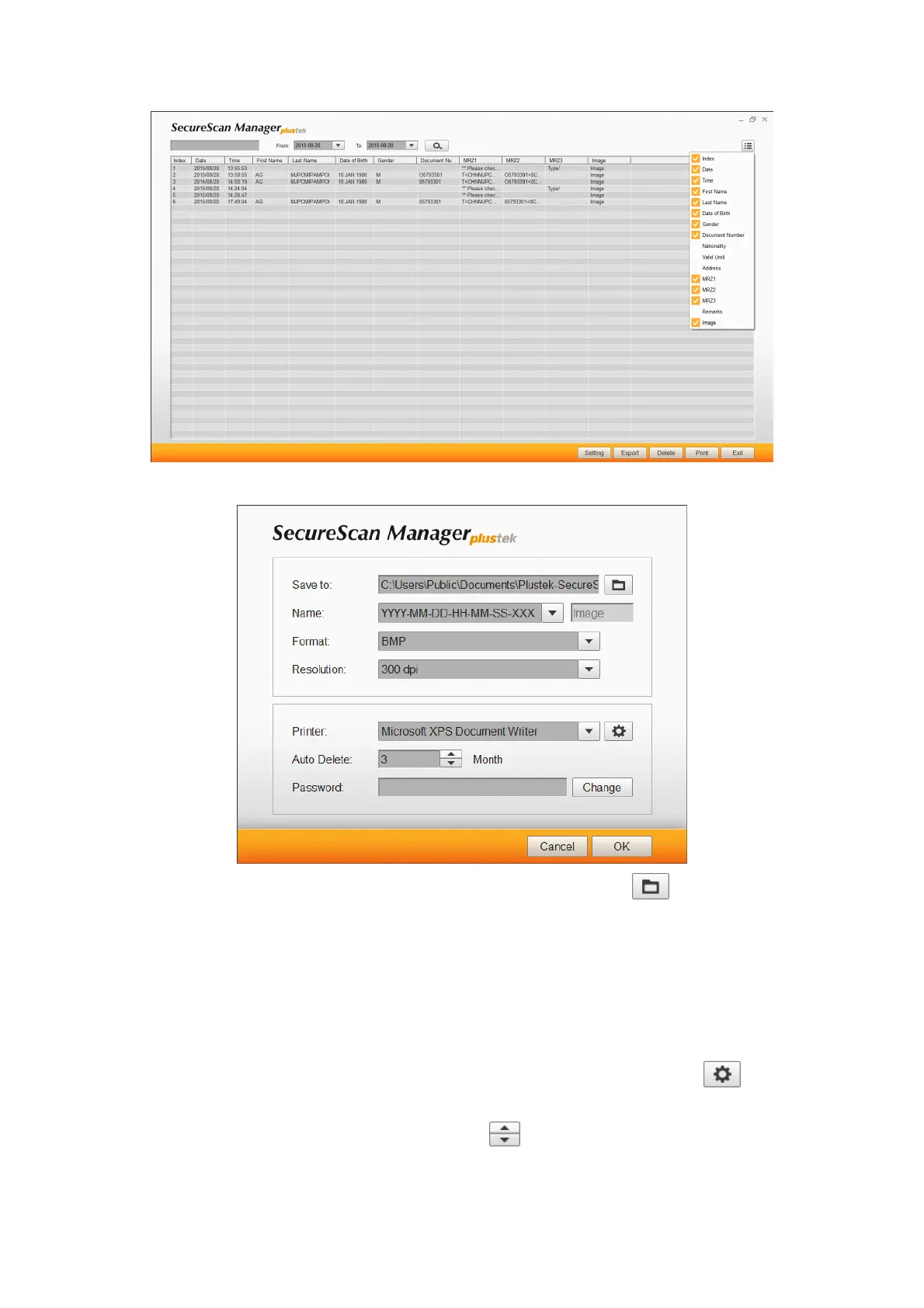
5. Click the
Setting
button to configure settings.
a. To modify the saving path in the
Save to
field, click the
button to select
the desired saving folder.
b. Select the desired
Name
from the drop-down list. If you select
Prefix
option,
please enter the desired prefix in the column.
c. Select the desired
Format
from the drop-down list.
d. Select the desired
Resolution
from the drop-down list.
e. Select the available
Printer
from the drop-down list, and click the
button
to configure printer settings.
f. Set the
Auto Delete
time by using the
button.
g. Modify the password in the
Password
field. Enter the original password and
then click the
Change
button to modify the password.











 To Next Page