9
Getting Started
CHARGING THE BATTERY
The battery of your Device is not fully charged as you unpack it, so you
need to charge it for 8-10 hours. It’s strongly recommended to keep
the Device off during the first charge, otherwise power consumption
may be more, than charging, especially when you charge it from PC.
Follow next steps to charge the battery:
1. Make sure the Device is off. In opposite case, press On/Off button
for a few seconds and select Power Off in menu appeared. The Device
will shut down.
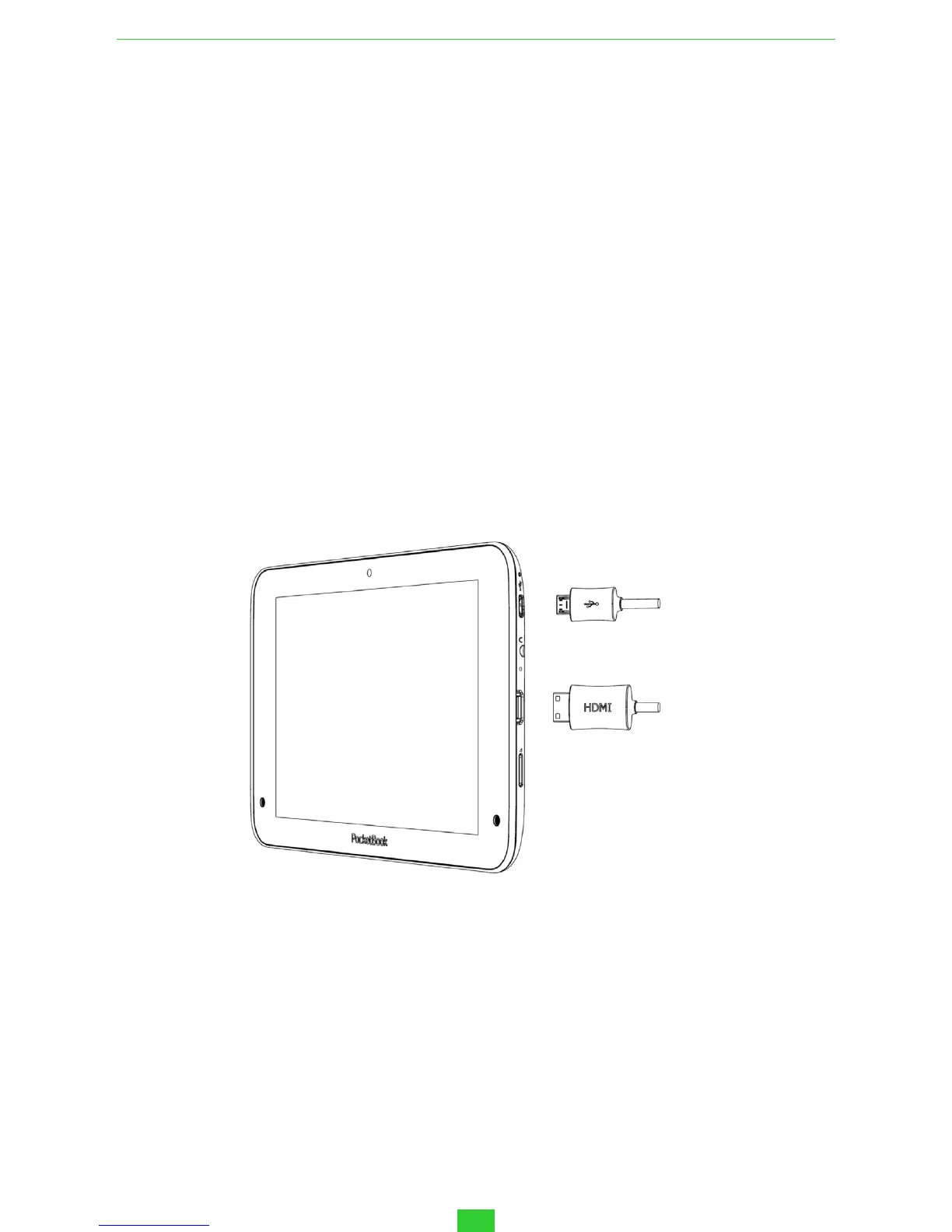
2. Connect your Device to a computer or power supply using the
microUSB cable included in package.
• Connect a USB cable to the jack of the Device:
ATTENTION! Incorrect connection of the USB cable can seriously damage the
Device. Damages of the Device, caused by incorrect connection, aren’t covered
by warranty.
• While the USB cable is connected, the Device should be near to
PC/charger.
NOTE It’s recommended to charge the battery using the charging device. In
case if you charge the battery from PC, it’s better to keep the Device off, because
power consumption may be more, than charging.
USB cable
HDMI cable



 To Next Page