17
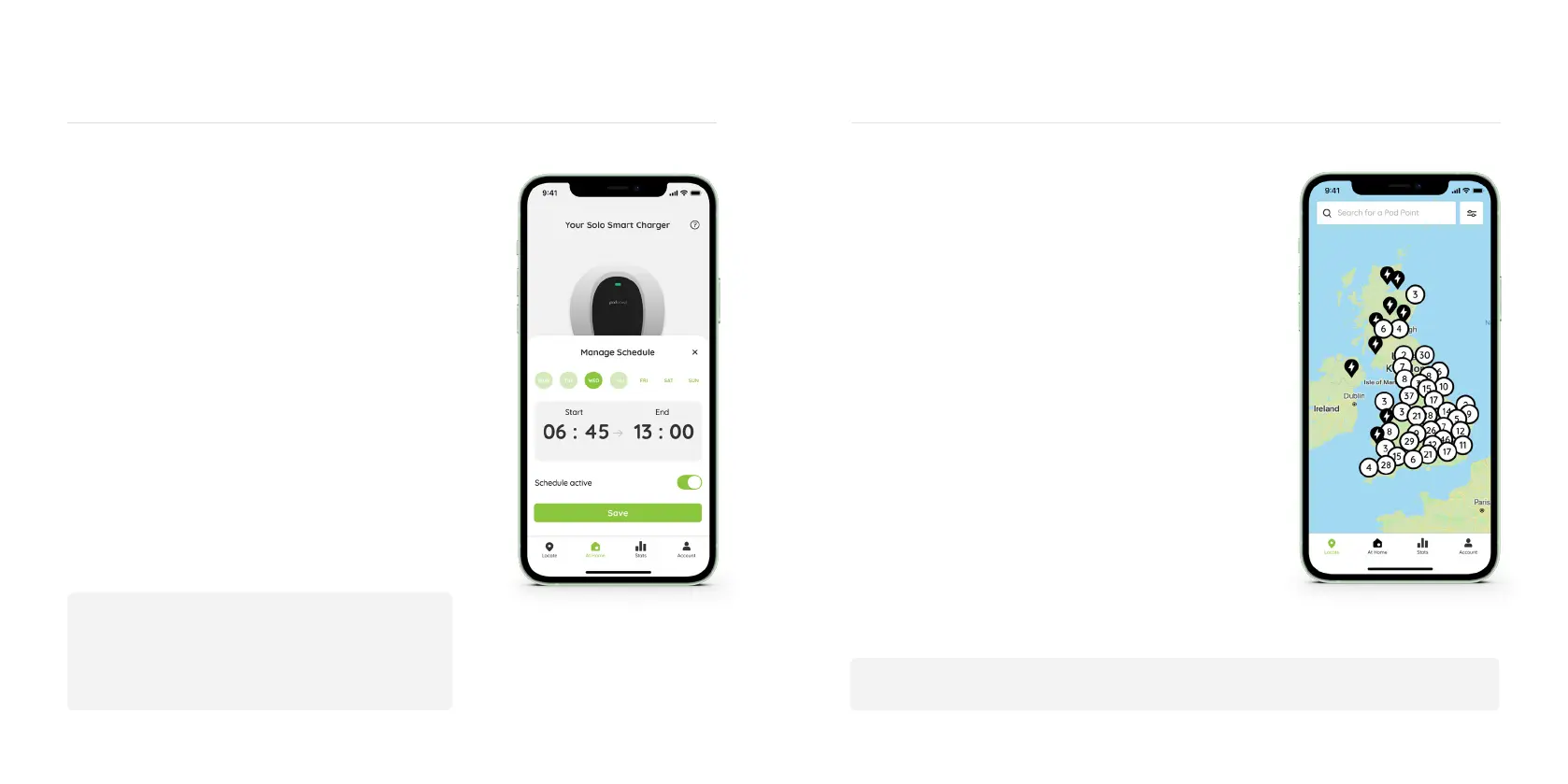
Charge Scheduling and your Solo
You can schedule your Solo to
charge at specic times using the
Pod Point App.
To use Charge Scheduling, you’ll need to:
• Connect your Solo to your home Wi-Fi
network (see page 03 for step-by-step instructions).
• Ensure you have downloaded the latest version of the
Pod Point App and set up an account.
• Pair the Solo with your Pod Point Account in our app
(visit pod-point.com/products/driver/app for a
detailed app user guide).
Pod Point Network
18
Start charging instantly with no
subscription fees at over 3,000 bays
on our public EV charging network
across the UK and Ireland.
Download the Pod Point App now to explore
our network and nd your nearest charge point!
Or visit pod-point.com/network to learn more
about our network.
• Fast and Rapid charging available on our network.
• Charge instantly with no RFID cards.
• Enjoy fair pricing with no subscription or
connection fees.
• Compatible with all plug-in vehicle models.
• Charge your EV at hundreds of locations.
No smartphone? No problem! Access our network by visiting: charge.pod-point.com
To nd out more about Charge Scheduling and
your Solo’s compatibility, go to our blog:
pod-point.com/charge-scheduling


 To Next Page