18
3.7.
Indicator Icons
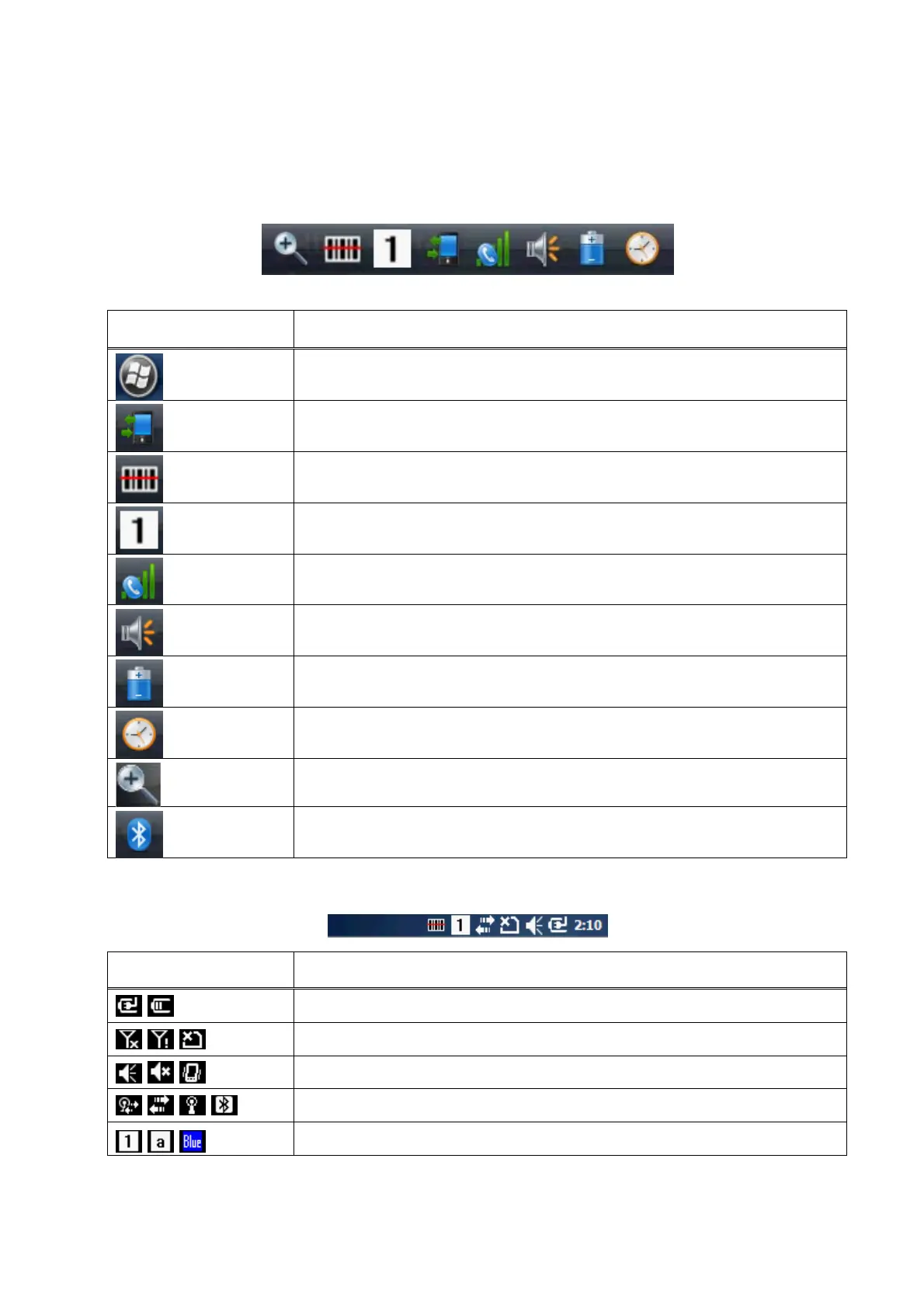
The command bar, located at the upper of application screens, provides access to many system
functions and programs.
Icons Meaning
Open the start menu
Access the Wireless Manager
Open the Scanner option menu
Indicates the Keypad value
Shows phone signal mode
Shows the volume
Indicates the Battery Control Panel (CPL)
Indicates Clock & Alarm CPL
zoom in/ out
Access the Bluetooth radio
Left and right arrows are used to scroll through additional icons
Icon Meaning
Indicates AC connection mode
Indicates WAN (Phone) connection mode
Indicates Sound connection mode
Indicates LAN / Bluetooth mode
Indicates Keypad mode
3.8.
Using the Stylus



 To Next Page