49
9.3. Program Button properties
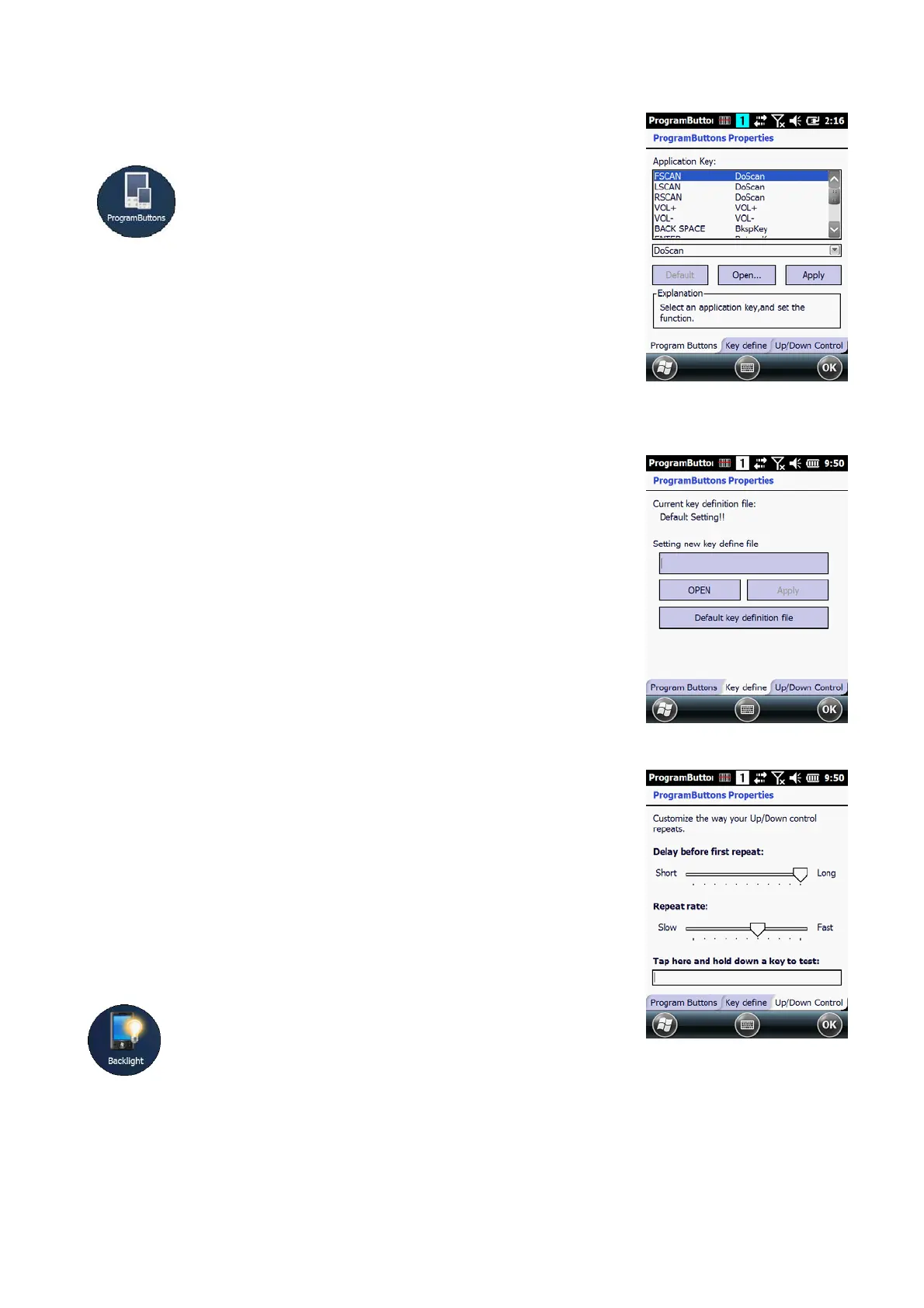
9.3.1. Program Buttons Tab
1. Select
Start > Settings > Control Panel > Program buttons
2. Chose its type:
Default – button will be assigned default function.
No function – button does not have any functions.
Scan key – button is used as Scan key.
Application – click on Open button and select
application to bind with this key.
4. To exit, press OK from the command bar, or press the
< ENT > key on the keypad
9.3.2. Key define Tab
Apply and Set the key which is already defined
9.3.3. Up/Down Control Tab
Customize the way the Up/Down control repeats
• Delay before first repeat (Short/Long)
• Repeat rate (Slow/Fast)
☞NOTE:
It is useful for a customer to want to remap keyboard.
9.4. Backlight Properties
Modify display and keyboard backlight brightness.
Also set backlight options (i.e. turn off time).
To modify backlight settings open:
Start > Settings > Control Panel > Backlight



 To Next Page