7
INSTRUCTION
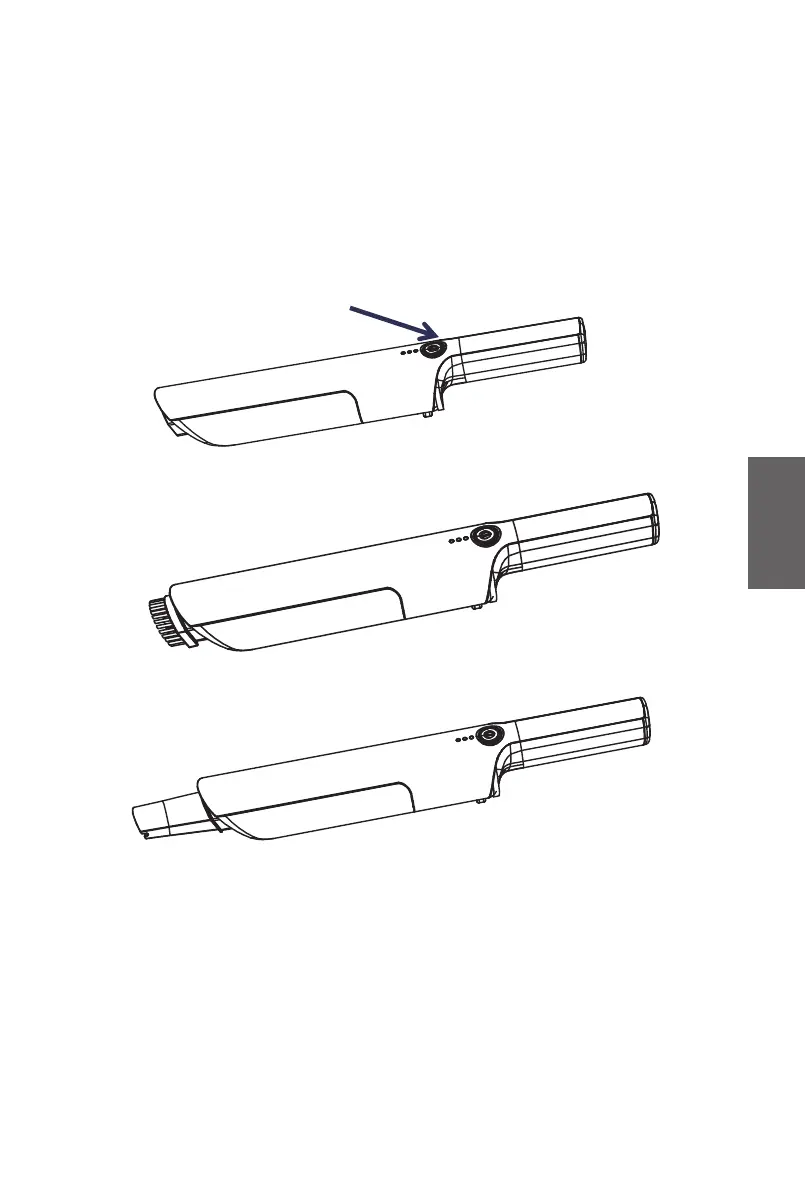
Press the Power button (A) (see Fig.3), the appliance starts working. Press
the Power button again and the appliance stops working. If you need to use
the small brush, insert the Small brush into the main body as shown in Fig.4
and then activate the appliance. If you need to use the Flat nozzle, insert the
Flat nozzle into the main body as shown in Fig.5 and then activate.
A
Fig.5
Fig.4
Fig.3
GB



 To Next Page