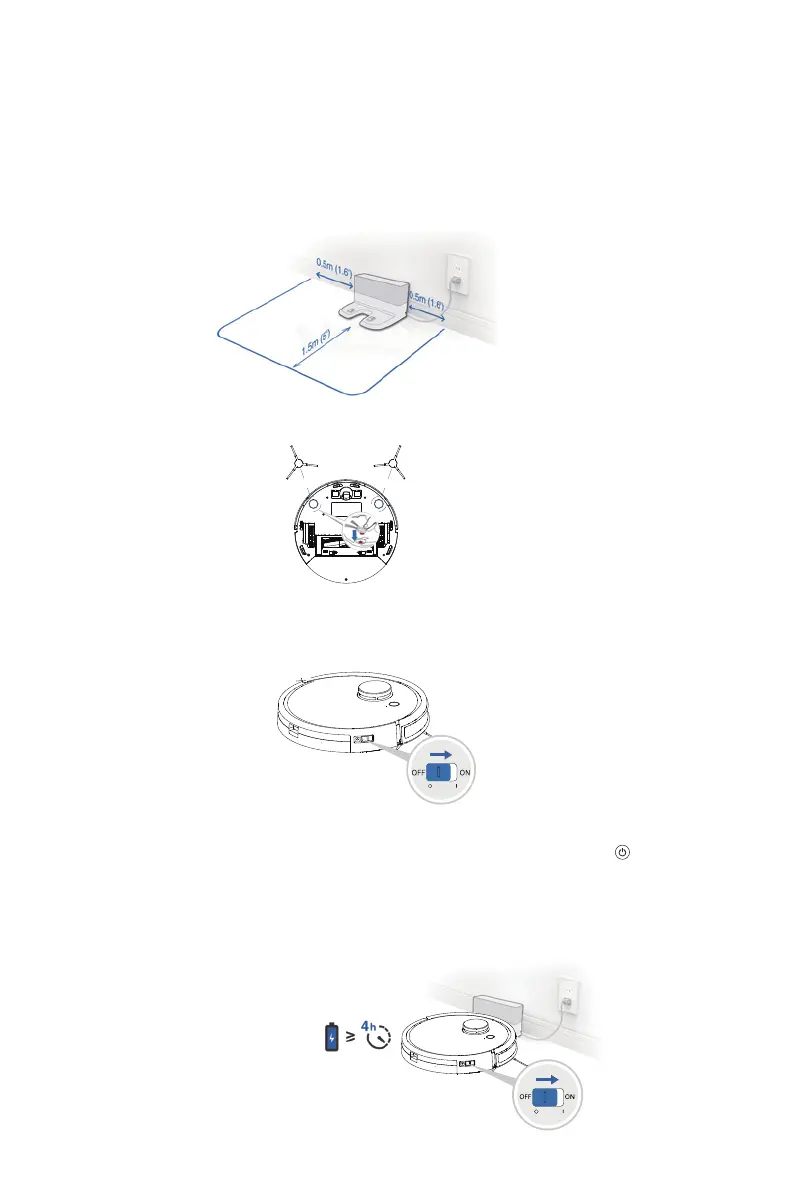
■ Installing the side brushes properly
▲ Note that the appliance cannot be charged when it’s powered-o
■ Turn on the power switch of the appliance
* “I” means power-on, ”O” means power-o
Operation / Charging for the appliance
■ Find a proper place to charge the appliance
* Remove all shields of the appliance and charging dock
* Place the charging dock against the wall and place it on a flat floor. Do not place any objects within
0.5m in the left/right side and 1.5m in the front.
* If there is a reflective object such as a mirror close to the charging dock, cover 10cm from the bottom.
■ Charging
RED GREEN
* Before first time use, fully charge the appliance. During charging, the start button will flash.
When charging is complete, the button is o. The charging time is around 4-5 hours.
*In order for the appliance to return to charge conveniently after cleaning has finished, it is
recommended that the appliance start working from the charging dock and do not move the
charging dock during cleaning.
10



 To Next Page