■ Start cleaning
Operations / App Download
Operations / Operation for the appliance
Tips:
* App requires mobile phone system version: IOS9.0 and above, Android 4.4 and above. Always update
the mobile phone system version before using the app.
* After the installation, follow the mobile app page to complete the registration, login and distribution
network.
* Make sure your phone and home network are connected before distribution network.
* The robot only supports 2.4GHz network.
Tips:This appliance contains two kinds of operation interface-appliance and App. You can choose the
appropriate operation mode according to your needs. Let’s take below interface operation as an example.
The APP operation can follow the instructions on the APP.
Open iOS APP store or Google Play store and search “sRobot cleaner”, download and install it. Refer to
the icon picture in below.
Tips:
1>When start cleaning for the first time, make sure the appliance is on the charging dock and is fully
charged.
2>When building the map for the first time, follow the appliance and help it to eliminate some unfriendly
minor issues. For example, the appliance may get stuck in the low furniture when wall cleaning. Any
minor issues can be solved by using the methods below.
① If conditions permit, furniture can be raised with something;
② Block the bottom of furniture, to not allow the appliance to enter;
③ A virtual wall will prevent the appliance to enter.
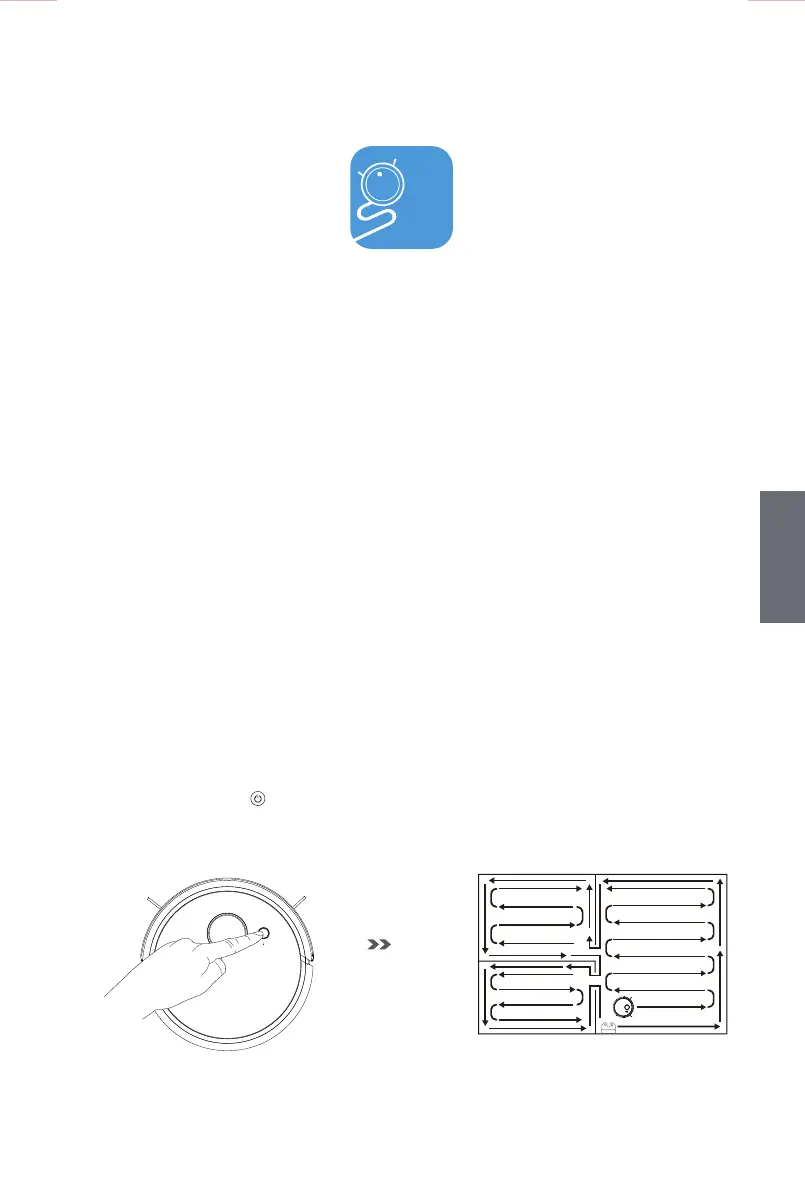
• After pressing the button of the appliance, it will start to build the map along the wall at first and
then do a zigzag route cleaning. After the map has been built, the appliance will clean each household
area one by one in the same way.
mart
11
GB
GB



 To Next Page