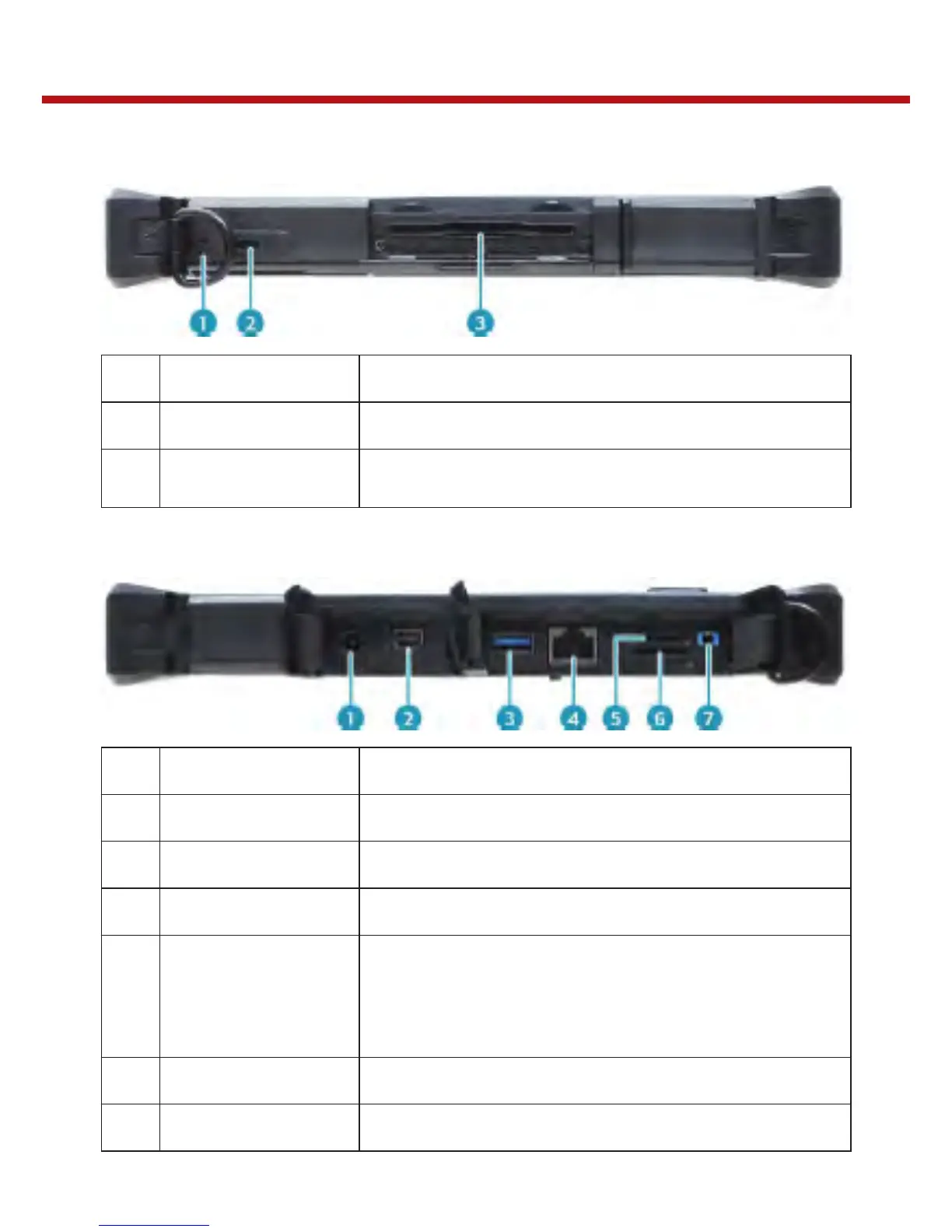
Left View
1
Strap holes Attach the strap for the stylus pen.
2
Kensington lock slot Connect a Kensington-compatible tablet PC security lock.
3
Smart card reader
(for selected model)
Use to insert smart cards.
Right View
1
DC-in jack Connect the power adapter.
2
Mini DisplayPort Connect to an external display.
3
USB 3.0 port Connect USB 3.0 peripheral devices.
4
RJ-45 jack Connect to a local area network (LAN) using an Ethernet cable.
5
Memory card slot
Use to insert memory cards to transfer pictures, music,
and data between your Tablet PC and flash compatible
devices. The card reader supports micro-SDHC and
micro-SDXC.
6
SIM card slot Use to insert a SIM card for WWAN module connection.
7
Audio Combo jack Connect a headphone or an external speakers or microphone.


 To Next Page