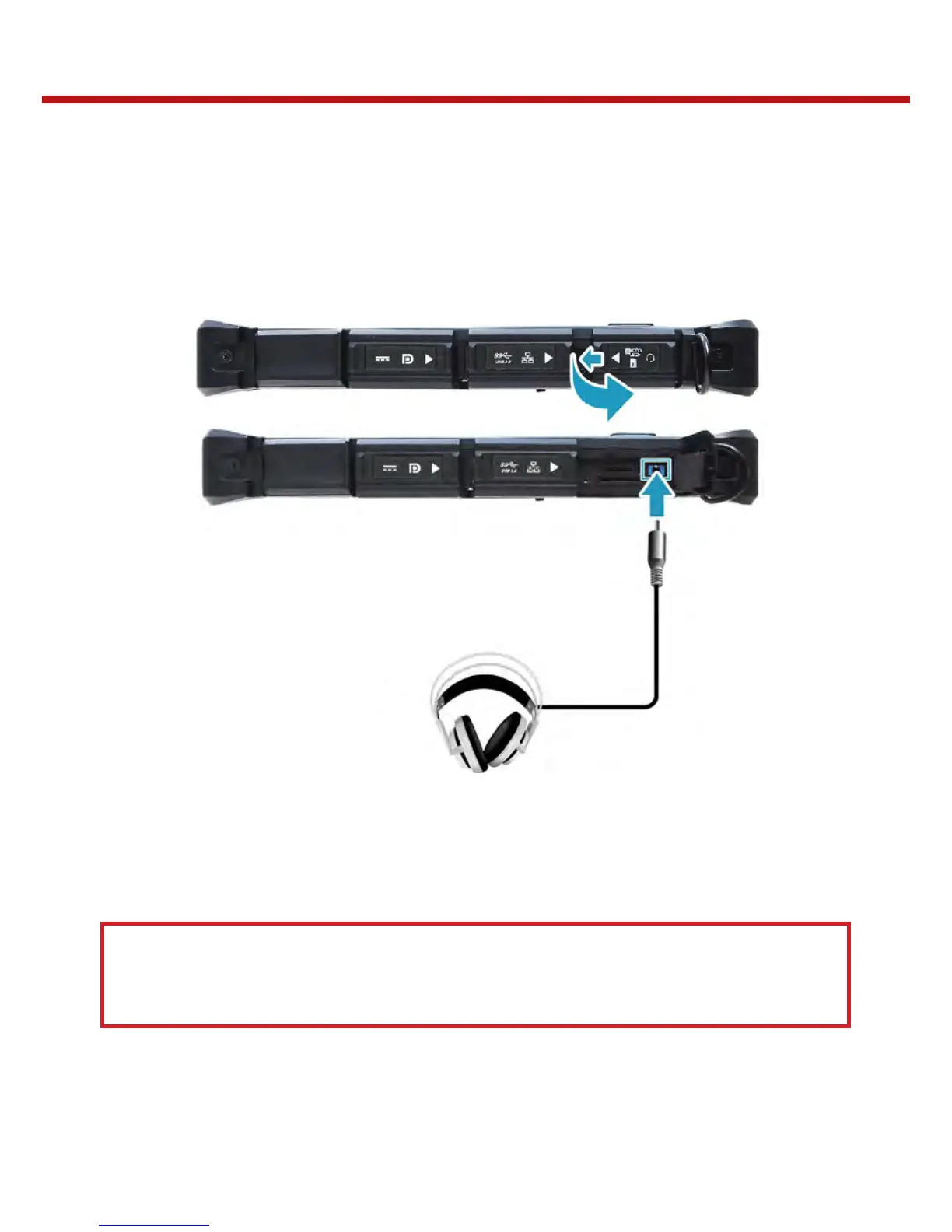
Connecting the Microphone/Headset
Your Tablet PC is equipped with audio combo jack that enables you to use the headset or
microphone.
- To connect to a headset, open the memory/SIM card cover and plug the stereo
headphone cable into the audio combo jack of your device.
- To connect to a microphone, open the memory/SIM card cover and plug the micro-
phone cable into the audio combo of your device.
Note:
The headset and microphone are not included in the package.
They are separately.


 To Next Page