25
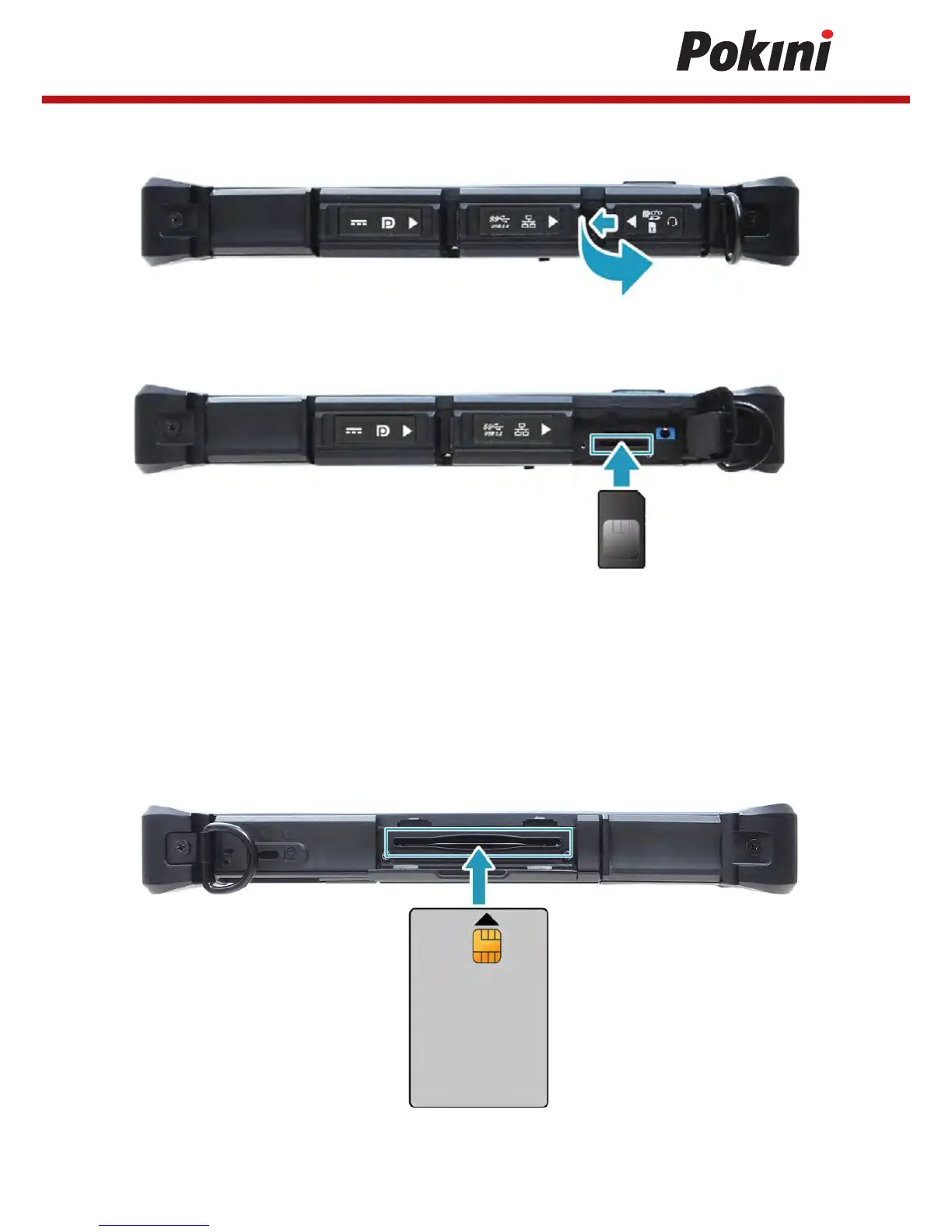
1. Slide to the left to open the memory/SIM card cover.
2. Push a valid SIM card into the SIM card slot until it clicks into place.
3. Close the memory/SIM card cover.
Installing the Smart Card
Your tablet PC is equipped with a built-in smart car make secure purchases, store
security information, and provide identification and information using a smart card.
1. Pull to pen the smart card over.
2. Insert a smart card into the smart card slot.
3. Close the smart card cover.


 To Next Page