13
When to replace the Battery Pack
The battery performance gradually decreases over time and usage. We recommend you
to replace your battery pack after 18 to 24 months of usage.
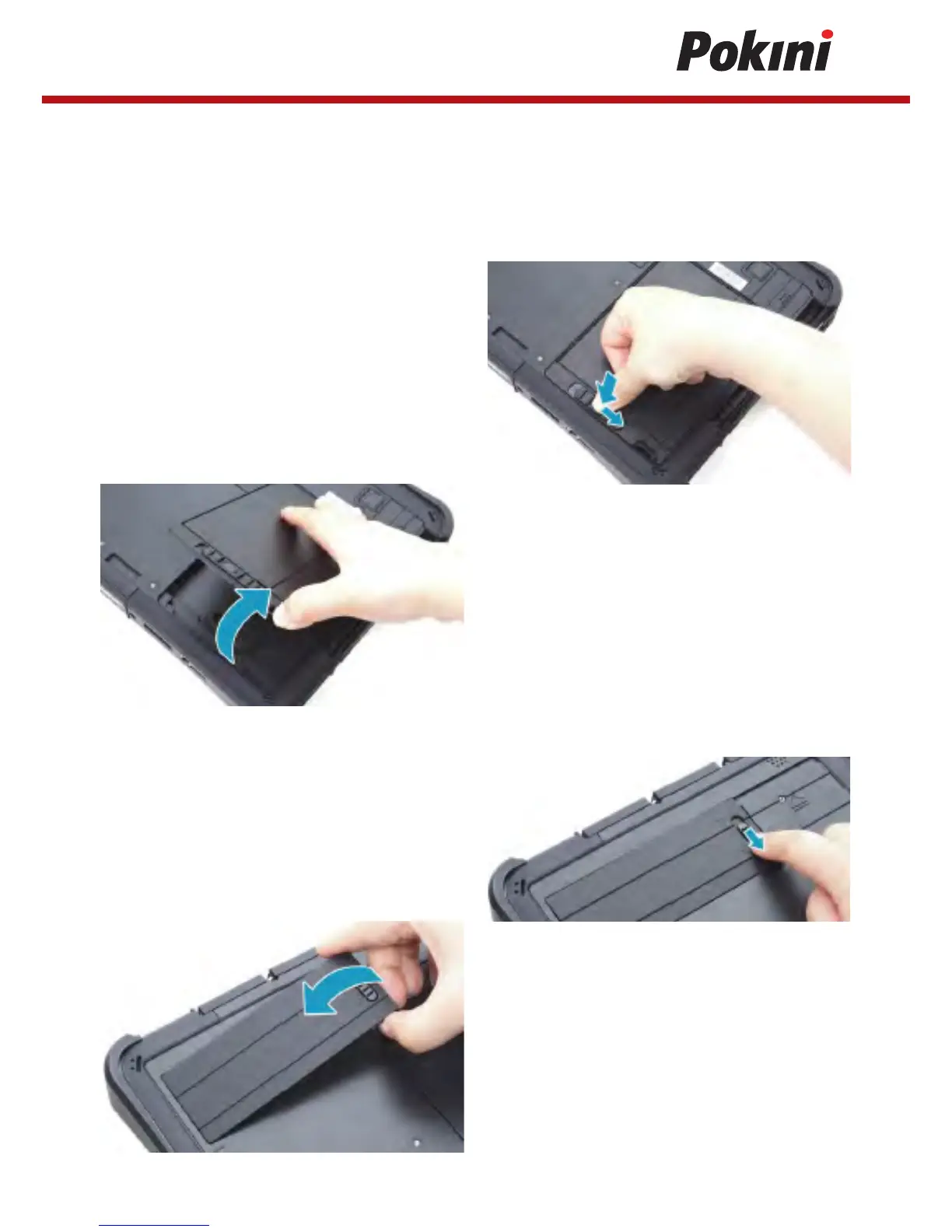
Removing the Battery
To remove the battery, follow the steps below:
1. Press and hold the battery latch release
button to slide the battery latch to the
unlock position.
2. Remove the battery out of the battery
compartment.
Removing the SSD Kit
To remove the SSD kit, follow the steps below:
1. Slide the SSD kit latch to the unlock position.
2. Remove the SSD kit out of its
compartment.


 To Next Page