27
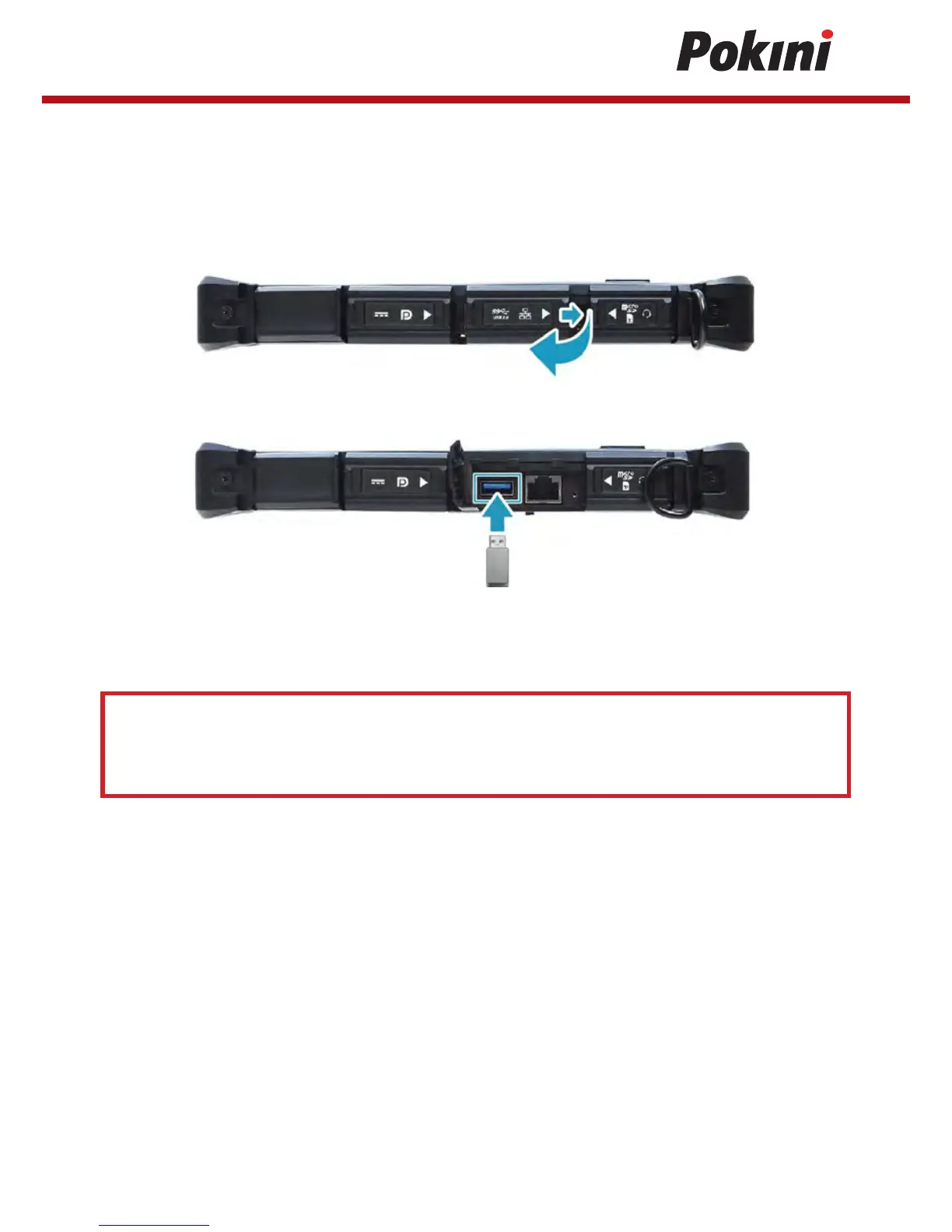
Connecting USB Devices
You can connect your tablet PC to other USB devices. such as a mouse, keyboard, digital
camera, printer, or an external hard disk drive.
1. Slide to the right to pen the I/O port cover.
2. Connect one end of the USB cable to the USB port of your device.
3. Connect the other end of the cable to the USB device (if necessary).
Note:
The USB cable is not included in the package.
It is soldd separately or it may come with your USB device.


 To Next Page