Operating Your Tablet PC
This chapter will guide you on how to use your Tablet PC.
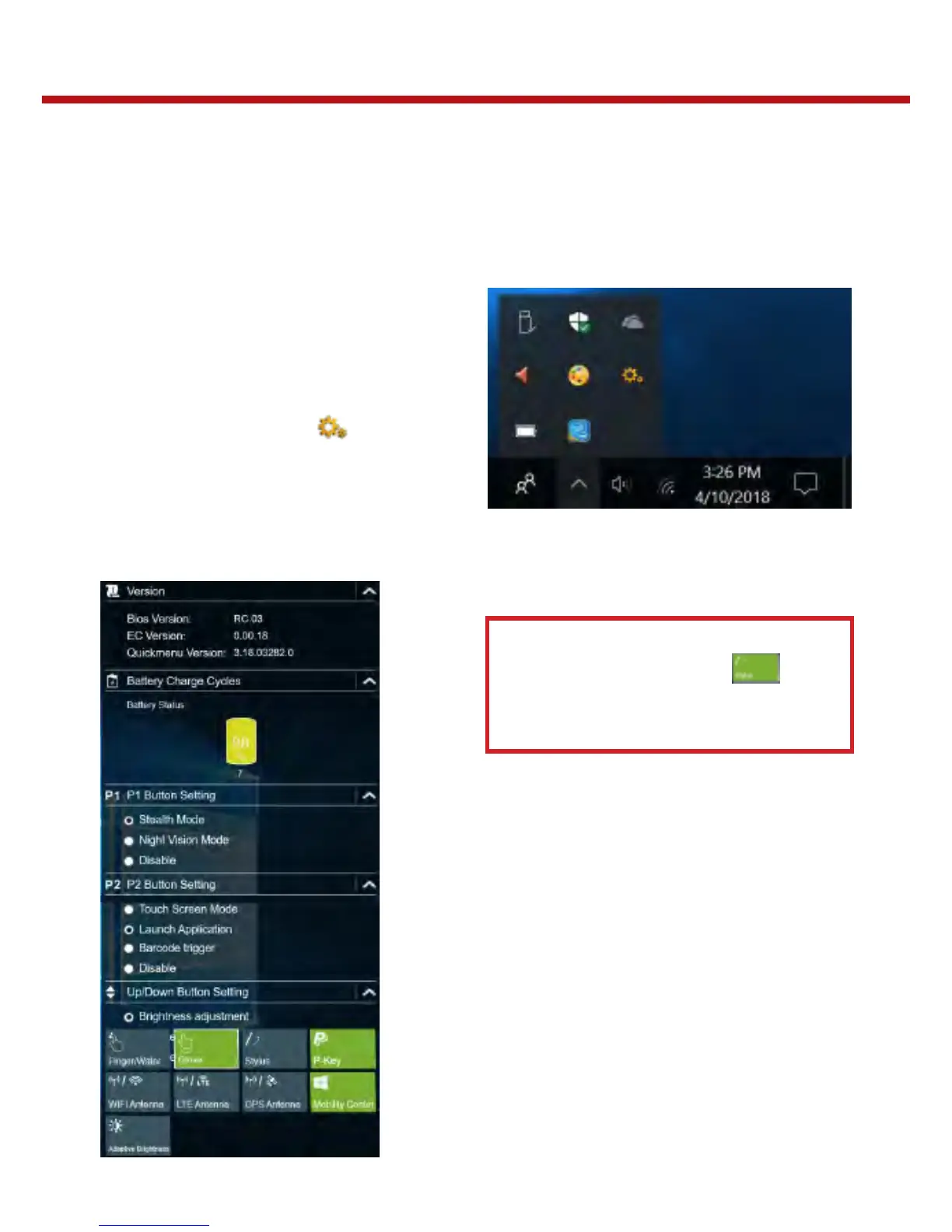
Using the Quick Menu
To enter the Quick menu, tap the arrow on
the task bar to display hidden icons. Then
tap the Quick Menu icon ( ).
You can also access the Quick menu in the
All apps list.
Quick Menu Overview
Note:
If the tab is green (i.e. ),
this indicates the current function
is activated.


 To Next Page