Product Overview
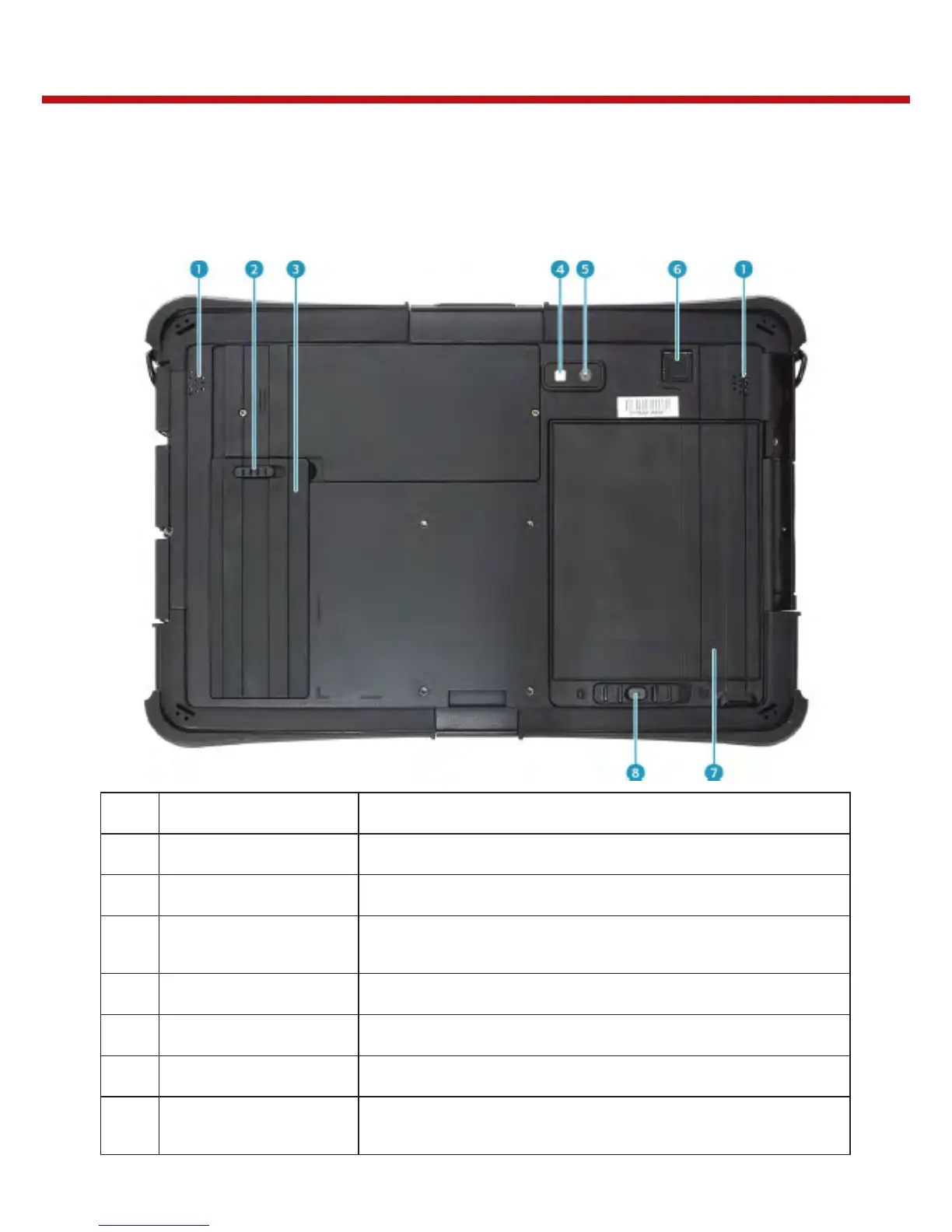
Back View
1
Speakers Emit sound.
2
SSD kit latch Lock the SSD kit in place.
3
SSD kit compartment Contain the SSD module.
4
Camera LED flash
Provide additional lighting when taking pictures under
low light environment.
5
Rear camera Use to take pictures.
6
Fingerprint scanner Scan the fingerprint for biometric identification.
7
Battery compartment Contain the battery.
8
Battery latch release
button
Press and hold the button to slide the battery latch to
the unlock position.


 To Next Page