11
GET STARTED
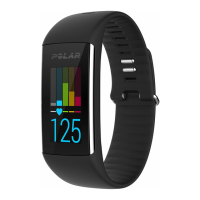
SET UP YOUR A360
When you get hold of your new A360, it’s in storage mode. It wakes up when you plug it into a computer for
setup or a USB charger for charging. We recommend that you charge the battery before you start using your
A360. If the battery is completely empty, it takes a couple of minutes for the charging to start. See Batteries
for detailed information on charging the battery, battery operating times and low battery notifications.
CHOOSE ONE OPTION FOR SETUP: COMPUTER OR A COMPATIBLE MOBILE DEVICE
You can choose how to set up your A360, with a computer and a USBcable or wirelessly with a compatible
mobile device. Both methods require an Internet connection.
l Mobile setup is convenient if you don't have access to a computer with a USB port, but it might take
longer.
l Wired setup is quicker and you can charge your A360 at the same time, but you need a USB cable and
computer available.


 To Next Page