21
1 2 3
4
6
7 8 9 10
11
12
13
14
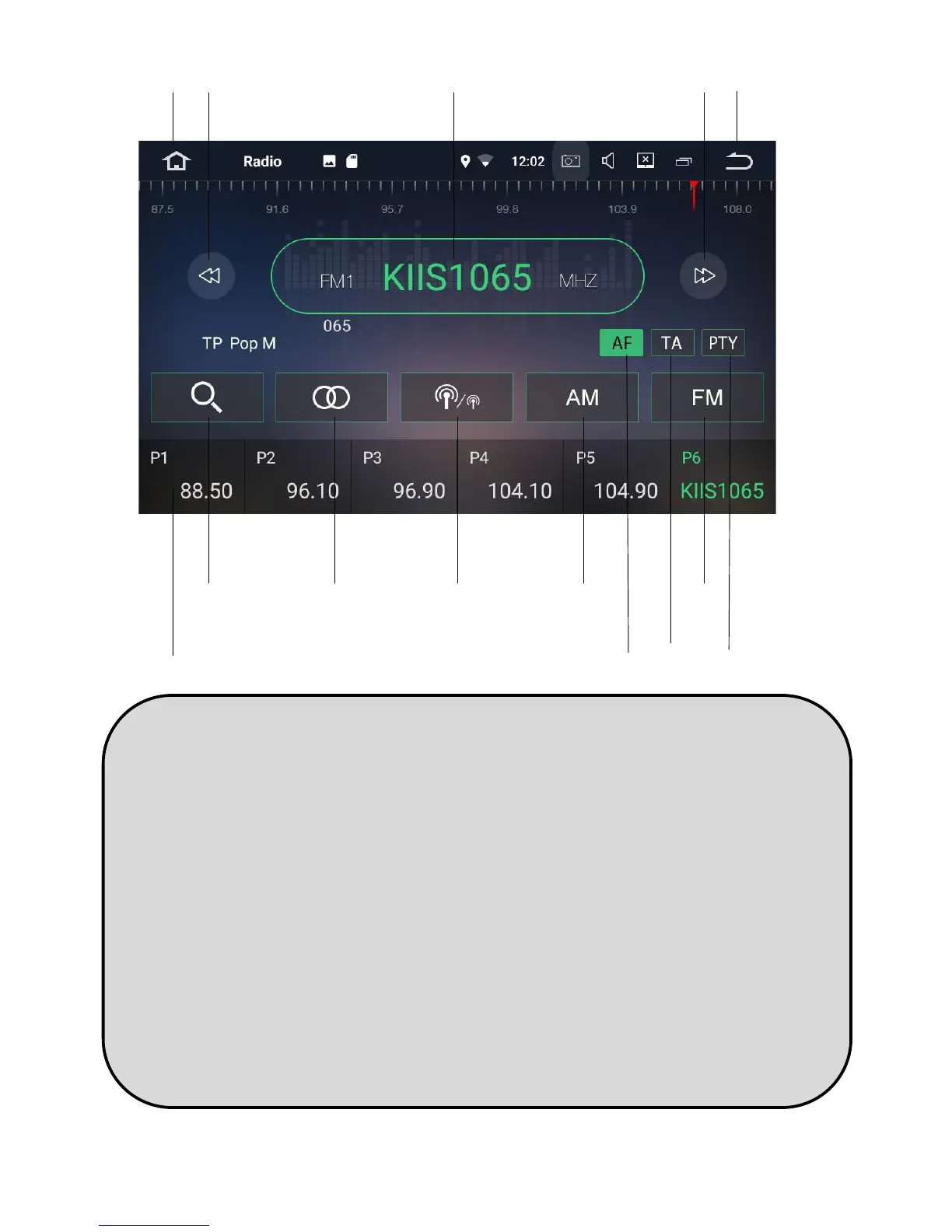
1. Home
2. Scan back through dierent staons
manually
Hold buon down to scan one by one
3. Radio frequency
4. Scan forward through dierent
staons manually
Hold buon down to scan one by one
5. Back to previous screen
6. Radio pre-set channel
7. Automac scan
8. Mono/stereo sound quality
9. Scan for Long Range (distant) or short
Range frequencies (local)
10. Change to AM frequency
11. Alternave frequency
12. Trac Announcement
13. Change to FM frequency
14. Program type
5


 To Next Page
 Loading...