geneo+U
15
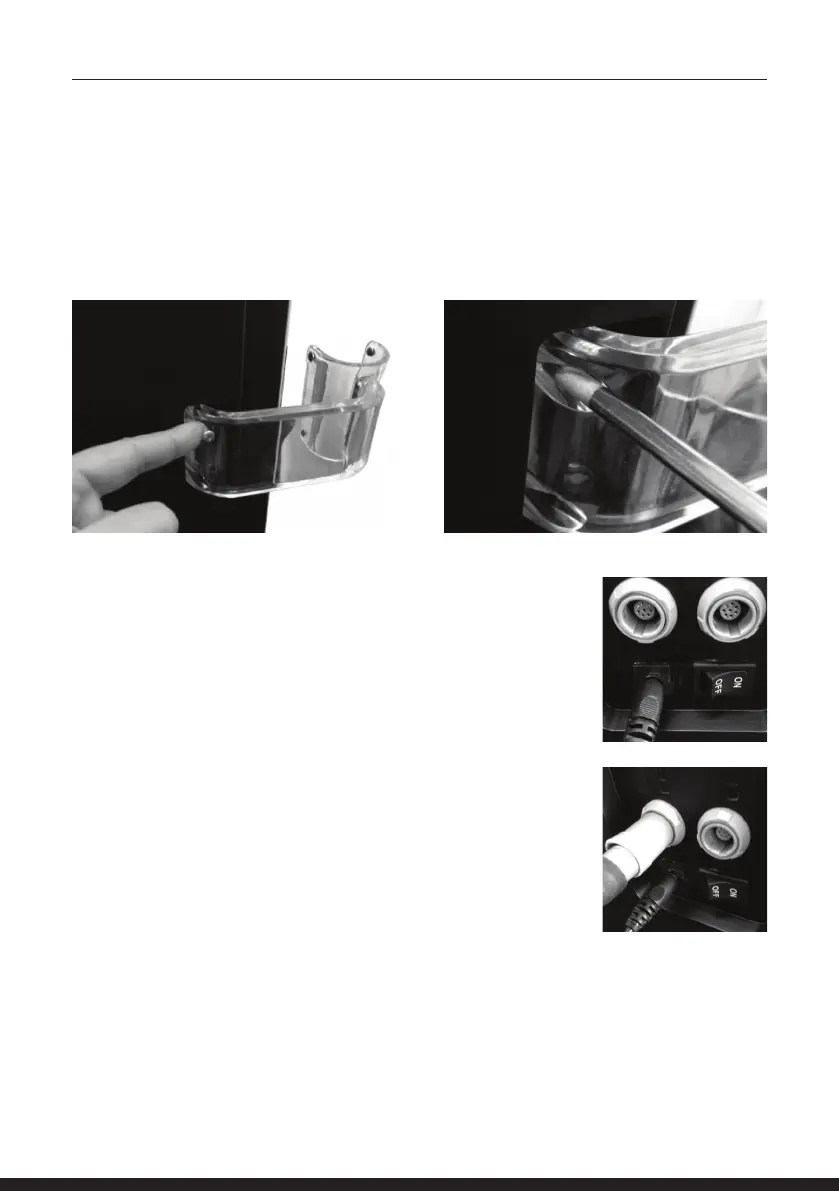
CONNECTING THE APPLICATOR’S HOLDER
There are 2 applicator holder locations, the holders are placed on the opposite side and orientation
of the system.
Position the holder in its designated location on the system.
Fasten the two screws using a screwdriver.
CONNECT POWER SUPPLY CORD
Warning: Before connecting the power supply cord, make sure that
the ON/OFF switch is on the OFF position.
NOTE: The geneo+U system should only be used with the supplied
power supply.
CONNECT AND LOCK APPLICATOR
1. Applicator may be connected to either receptacles. (socket)
2. Remove Applicator from its packaging
3. Insert the connector at the end of the cord into one
of the sockets. Pay attention to the orientation alignment groove.
4. Push the connector into one of the sockets.
Verify that you hear a click
5. Place Applicator in its holder
To connect another applicator, disconnect one of the applicators
and wait 6 seconds until connecting the chosen applicator.



 To Next Page