geneo+U
24
TREATMENT SCREEN
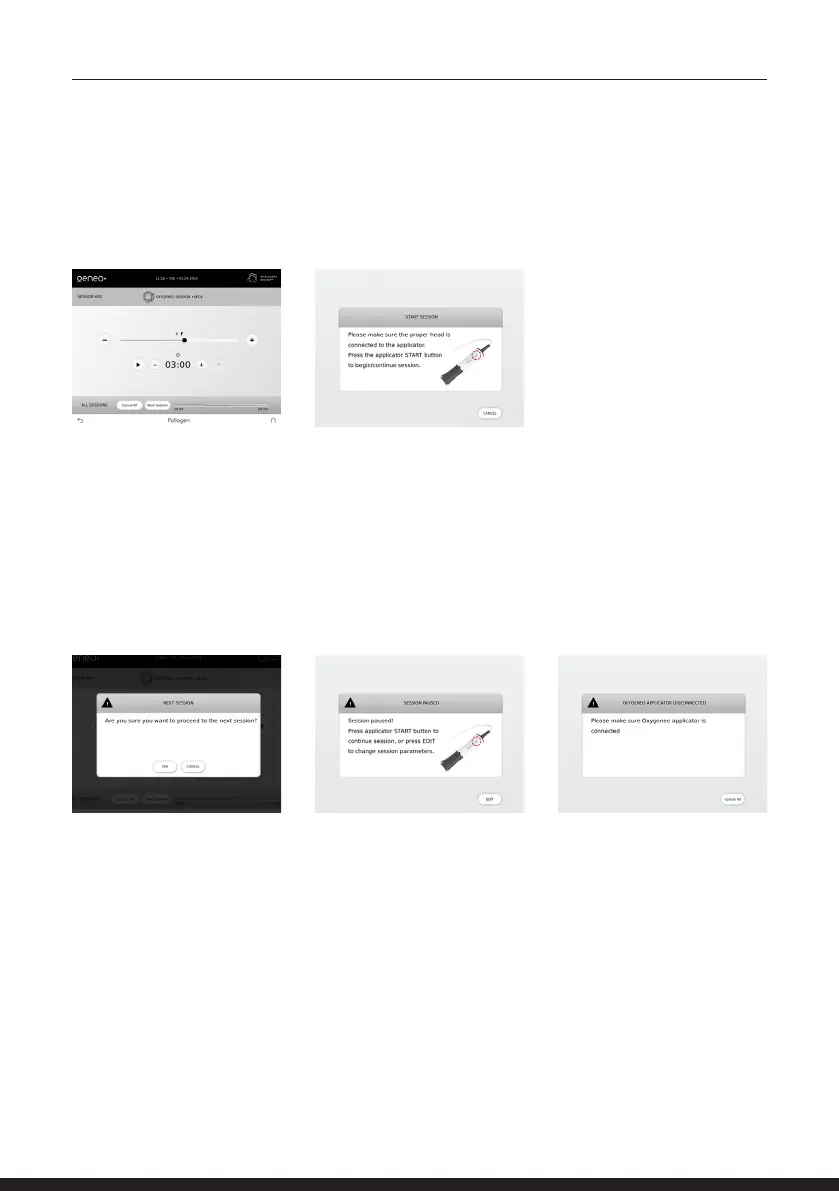
Press the ON/OFF button on the
applicator as indicated in the
pop-up message on the screen.
You can PAUSE and/or ADJUST the treatment parameters by
pressing the ON/OFF button on the applicator or pressing the
pause key on the screen and then pressing EDIT key in the pop-up
screen. To continue with the treatment, press the PLAY key on
the screen and afterwards the ON/OFF button on the applicator. A
protocol progress bar is displayed at the right bottom of the screen
indicating remaining and completed sessions and duration.
If one of the applicators is not
connected, the system will
alert to connect the requested
applicator.
To move to the next session,
press the NEXT SESSION
button and then press OK on
the pop screen.
At the treatment screen, tap
the PLAY key and start the
treatment.



 To Next Page