
 Need help?
Do you have a question about the Poly Blackwire 5200 Series and is the answer not in the manual?
Customize device behavior and enable call control with Poly Lens Desktop App.
Keep firmware and software up-to-date for improved performance and new features via Poly Lens App.
Lengthen or shorten the headband for comfortable wear over the ears.
Wear boom on either side and rotate to align with mouth for optimal audio.
Gently bend boom to be one finger width from the corner of your mouth.
Learn to make, take, and end calls using the headset or softphone application.
Adjust listening volume using the dedicated volume up and down buttons.
Mute or unmute the microphone during a call using the inline controller button.
Solutions for common problems like noise, no sound, distorted audio, or non-working controls.
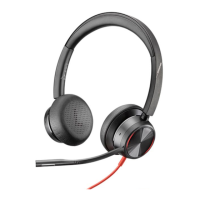
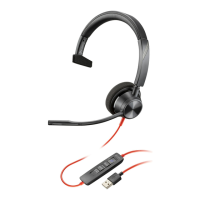
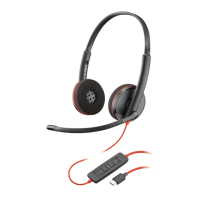
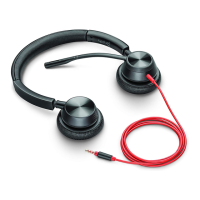
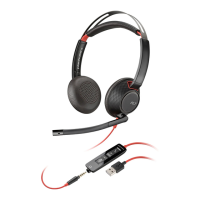
The Blackwire 5200 Series is a corded USB headset designed for communication, offering both USB and 3.5 mm connection options for versatile use with computers and mobile devices. This user guide provides comprehensive instructions for setting up, fitting, and utilizing the headset's various functions, as well as troubleshooting common issues.
The Blackwire 5200 Series headset is primarily designed for making and taking calls, listening to audio, and participating in virtual meetings. It features an inline control unit that allows users to manage calls, adjust volume, and mute the microphone directly from the cord. The headset integrates with Poly Lens Desktop App and Plantronics Hub Desktop App, which are essential for enabling advanced device behavior, customizing settings, and ensuring full call control functionality with compatible softphones. Without these applications or with incompatible softphones, users may need to initiate and end calls directly through their softphone application after pressing the headset's call button.
The inline control unit includes a call button, volume up and down buttons, and a mute button. The call button's LED indicators provide visual cues for different call states: a triple flash green indicates an incoming call, a double flash green signifies a call on hold, and a solid green light means a call is active. The mute button's LED turns solid red when the headset is muted, providing a clear visual confirmation of the microphone status.
Connectivity: The headset can be connected to a computer or mobile device via its USB connector or 3.5 mm connector. It is crucial to ensure the 3.5 mm connector is fully inserted into the headset controller for proper functionality.
Troubleshooting: The user guide provides solutions for common issues:
By following these guidelines, users can effectively set up, operate, and maintain their Blackwire 5200 Series headset for a seamless communication experience.
 General
| Wearing Style | Over-the-head |
|---|---|
| Dynamic Mute Alert | Yes |
| Type | Wired |
| Ear Cushion | Leatherette |
| Warranty | 2 years |
| SoundGuard | Acoustic limiting for protection against sounds above 118 dBA |
| Frequency Response | 20 Hz to 20 kHz |
| Call control | Call answer/end, mute, volume +/-, via inline controller |
| Compatibility | PC, Mac |




 To Next Page