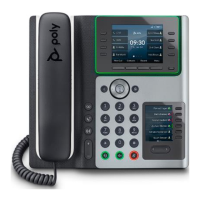
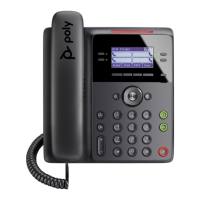
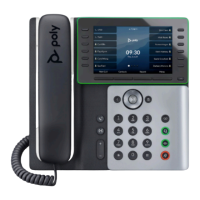
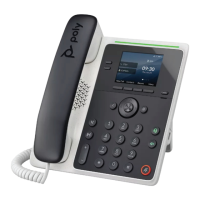
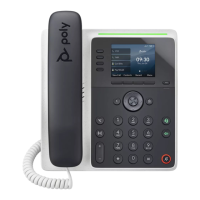
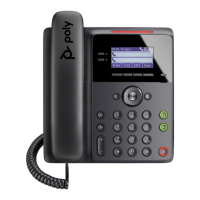
The Poly Edge E220, E350, and E450 series phones are designed to integrate seamlessly with the TIPT (Telstra IP Telephony) platform, offering a robust communication solution for various business environments. These devices are primarily used for voice communication, providing a reliable and feature-rich experience for users.
Function Description
The core function of the Poly Edge E series phones is to facilitate high-quality voice calls over an IP network. They act as endpoints in a TIPT system, allowing users to make and receive calls, manage contacts, and access various telephony features. The phones support different network modes (NAPTR, UDP, TLS, TCP) to ensure compatibility and optimal performance across diverse network configurations, including those on TBB (Telstra Business Broadband) or other third-party networks.
The devices are equipped with a user-friendly interface, typically featuring a display screen and physical buttons for navigation and interaction. This allows users to easily access call functions, settings, and other applications. The phones are designed to be provisioned automatically or manually, simplifying the deployment process for administrators. Automatic provisioning, known as QSetup, streamlines the initial setup by allowing the phone to download its configuration from a Device Management Server (DMS) after basic network connectivity is established and user credentials are entered. Manual setup options are also available, both directly through the handset's graphical user interface (GUI) and via a web-based GUI, providing flexibility for administrators to configure specific parameters.
Key telephony functions include call initiation, call reception, call holding, transferring calls, and managing multiple lines or calls simultaneously. The phones are designed to integrate with the TIPT platform's directory services, allowing users to easily look up and dial contacts. They also support features like call forwarding and the use of specific audio codecs (e.g., g722) for high-definition voice quality.
Usage Features
The Poly Edge E series phones are built with user convenience in mind, offering a range of features that enhance daily communication.
- Intuitive User Interface: The phones feature a clear display and tactile buttons, making it easy for users to navigate menus, access contacts, and manage calls. The QSetup soft key, for instance, provides quick access to the initial login menu for provisioning.
- Call Management: Users can effortlessly make and receive calls, place calls on hold, transfer calls to other extensions or external numbers, and initiate conference calls. The interface typically provides visual cues for call status, such as active calls, held calls, and new call notifications.
- Directory Services: Integration with the TIPT platform's directory allows users to search for and dial contacts directly from the phone, reducing the need to manually enter numbers.
- Customizable Settings: Users can personalize certain aspects of their phone experience, such as language preferences and potentially ringtones, through the handset's settings menu.
- Network Flexibility: The phones are designed to operate in various network environments, supporting different boot server types (DHCP or static) and provisioning server types (HTTP). This adaptability ensures they can be deployed in diverse IT infrastructures.
- Security: The devices incorporate security measures such as password protection for administrative settings, ensuring that only authorized personnel can make critical configuration changes. The ability to change the default administrator password (e.g., from 456) is a crucial security feature.
- Power over Ethernet (PoE) Support: For simplified deployment and reduced cable clutter, the phones can be powered via an Ethernet cable, eliminating the need for a separate power adapter if the network switch supports PoE. If PoE is not available, a power pack can be used.
- Web-based Configuration: For administrators, a web-based GUI provides remote access to the phone's settings, allowing for convenient configuration and troubleshooting from a connected PC. This is particularly useful for managing multiple devices or performing advanced setup tasks.
- Firmware Management: The devices are designed to automatically receive firmware updates (e.g., version 8.0.2) during installation, ensuring they always run on the latest software with the most current features and security patches.
Maintenance Features
Maintaining the Poly Edge E series phones involves several aspects, primarily focused on configuration management, troubleshooting, and ensuring optimal performance.
- Provisioning and Configuration: The devices support both automatic (QSetup) and manual provisioning methods. This flexibility is key for maintenance, allowing administrators to quickly deploy new phones or reconfigure existing ones. The ability to set DHCP boot servers to static and specify provisioning server addresses and types (e.g., HTTP) provides granular control over how phones obtain their configurations.
- Remote Management via Web GUI: The web-based configuration utility is a powerful maintenance tool. Administrators can access the phone's settings remotely using its IP address, which is invaluable for troubleshooting, applying updates, or changing configurations without physical access to the device. This includes managing login credentials (Admin/User) and network parameters.
- Factory Reset Capability: If a phone encounters significant configuration issues or needs to be redeployed, the option to perform a factory reset is crucial. This returns the device to its default settings, allowing for a fresh start in the provisioning process. It's important to note that the web GUI might be disabled if the phone is not at factory defaults, highlighting the importance of this feature for initial setup or recovery.
- Firmware Updates: The system is designed to automatically provision firmware updates. This ensures that the phones are always running the latest software, which often includes bug fixes, security enhancements, and new features, minimizing the need for manual intervention in keeping the devices up-to-date.
- Network Diagnostics: The ability to locate the phone's IP address through the handset's menu (Menu -> Status -> Network -> TCP/IP Parameters) is a fundamental diagnostic tool. This information is essential for accessing the web GUI and for general network troubleshooting.
- Credential Management: The system relies on specific user and password credentials for both initial setup (QSetup) and accessing the Device Management Servers (DMS). Proper management of these credentials, including the ability to change default passwords, is a critical maintenance task for security and access control.
- Group Tag Configuration: For large deployments, the TIPT Administration Portal uses "Group Tags" to automatically set up device configurations. While these are often set automatically via UCSS (Unified Communications Self Service), administrators can modify them at the group level based on customer requirements. This allows for centralized management of settings like network mode (%TIPT_STATE%), folder structure (%IFOLDER%), firmware version (%FIRMWARE_EDGE_E%), call forwarding (%SCA_FORWARD%), and audio codec (%TIPT_CODEC%). This centralized approach simplifies maintenance for multiple devices.
- Reboot Functionality: The option to reboot the phone, either automatically after saving configuration changes or manually through the Utilities menu, is a simple yet effective troubleshooting step for resolving minor issues or applying new settings.

 Need help?
 General

 To Next Page