EasyManua.ls Logo

Poly E Series - User Manual

Poly E Series
88 pages
Print Icon
To Next Page IconTo Next Page
Loading...
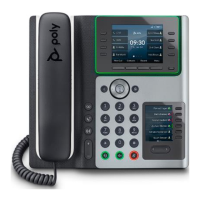
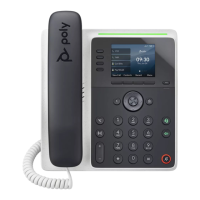
E Series & CCX Business Media Phone
User Guide
UC Software 7.1.0 | June 2021 |3725-49794-005A

Questions and Answers

  • E
    emily44Jul 29, 2025
    What to do if I want to change the phone that is connected to the Poly Desktop Connector?
    • J
      Jimmy AlvaradoJul 29, 2025
      Disable the Poly Desktop Connector, which is already connected to your computer and is in active state on your Poly Telephone. Setup and enable the phone you want to connect to Poly Desktop Connector.
  • C
    Christine HernandezAug 3, 2025
    What to do if the computer and phone cannot establish a connection on Poly Telephone?
    • J
      Jill MannAug 3, 2025
      Verify the Poly Desktop Connector settings on your Poly Telephone. You may need to reboot your phone or press the Reconnect soft key.
  • T
    Taylor RobertsAug 8, 2025
    Why is there audio or echo issues during a call when using headset on my Poly Telephone?
    • L
      Luke SandersAug 8, 2025
      If you are experiencing audio or echo issues while using a headset with your Poly Telephone, go to Settings ? Basic ? Preferences. Select Headset ? Echo Cancellation and select Enabled.
  • F
    flunaAug 13, 2025
    What to do if the message 'USB device is full. Recording canceled' displays on Poly Telephone?
    • D
      Dean RiveraAug 13, 2025
      If you see the message 'USB device is full. Recording canceled' on your Poly Telephone, check that there’s sufficient space on the USB flash.
  • D
    Denise EvansAug 18, 2025
    What to do if the Bluetooth settings do not display on my Poly E Series Telephone?
    • J
      Jeremy JenkinsAug 19, 2025
      Check with your system administrator to see if the Bluetooth feature is enabled on your Poly Telephone. Make sure the Bluetooth Radio setting is on.
  • Q
    qdickersonAug 23, 2025
    What to do if the message 'USB device removed unsafely. Recording canceled' displays on Poly E Series?
    • A
      Amy ChapmanAug 23, 2025
      If you see the message 'USB device removed unsafely. Recording canceled' on your Poly Telephone, don’t remove the USB flash drive while recording. If you want to remove the drive during a call, press Stop, and then remove the drive.

Summary

Getting Started

Poly Phone Hardware Overview

Introduces the hardware components of Poly CCX and E Series phones.

Navigating Poly Phones

Access the Home Screen

Explains how to access and use the phone's main Home screen.

Audio Calls

Holding and Resuming Calls

Explains the procedures for placing calls on hold and retrieving them.

Video Calls

Tips for Video Calls

Offers advice for ensuring the best experience during video calls.

Call Lists and Directories

Managing Favorites

Guides on adding, viewing, and reordering favorite contacts.

Connecting Bluetooth and USB Devices

Using Electronic Hookswitch

Describes how to use headsets with electronic hookswitch (EHS) functionality.

Troubleshooting

Reset the Phone to Factory Defaults

Explains how to restore the phone to its original factory settings.

Poly E Series Specifications

General IconGeneral
Product TypeConference phone
SpeakerphoneYes
DisplayLCD
ChargingUSB
ConnectivityUSB
Supported PlatformsMicrosoft Teams, Zoom, Google Meet
Wireless TechnologyBluetooth, Wi-Fi

Related product manuals