Page 10
Saturday:
7:30AM Wake, the zone turns on with a setpoint of 24°C for cooling mode
and 21°C for heating mode.
12:30PM Day, the zone’ s temperature setpoint is set to 24°C for cooling
mode and 21°C for heating mode.
6:00PM Back, the zone’ s temperature setpoint is set to 24°C for cooling
mode and 21°C for heating mode.
11.30PM Sleep, the zone’ s temperature setpoint is set to 30°C for cooling
mode and 17°C for heating mode.
Sunday:
The program is the same as Saturday’s.
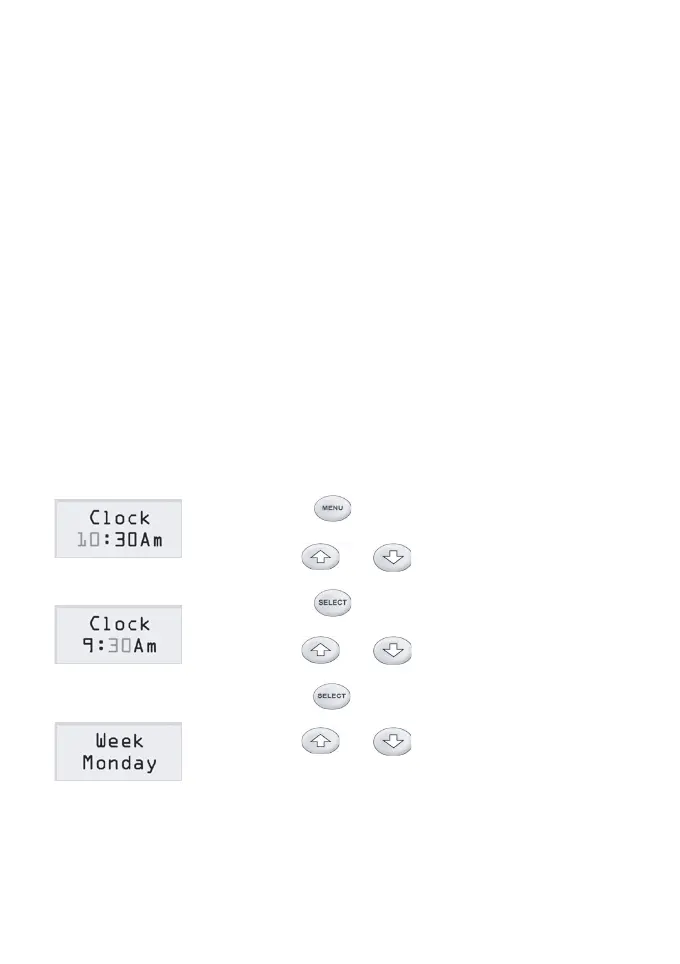
Setting Clock and Week
1) Press button once to select the clock
and week setting.
2) Use or button to change the
ashing hours to the desired value.
3) Press button once more to select the
minutes to be ashing.
4) Use or button to change the
ashing minute to the desired value.
5) Press button again to select week to
set.
6) Use or button to change the
weekday to the desired day.
7) It will return to the normal operation mode itself
in 15 seconds with no key being pressed.



 To Next Page