6
ADJUSTING VOLUME
• To change call volume, press during a call
• To change the ringer volume, press when the phone is idle or ringing.
CHANGING RINGER SETTINGS
You can change the location of sound notications for incoming calls in the Audible Ringer
settings. By default, you hear all sound effects from the speaker. You can congure your
phone to ring on your headset, handset, speaker, or the active audio device you set.
• Go to Menu > Settings > Basic > Preferences
• Select Audible Ringer and select a location to hear sound effects.
SET A RINGTONE FOR INCOMING CALLS
Select unique ringtones for incoming calls on different lines on the phone. The default
ringtone is Low Trill.
• Go to Menu > Settings > Basic
• Select Ring Type.
• On the Ring Type screen, select a ringtone.
• Optional: Press the Play softkey to hear the ringtone.
• A green circle with checkmark will indicate the selected ringtone.
SET A RINGTONE FOR INDIVIDUAL CONTACTS
Select unique ringtones for contacts in your directory to help you quickly identify callers.
• Go to Directories > Contact Directory.
• In the Contact Directory, select a contact.
• On the Contact Information screen, select Edit.
• On the Edit Contact screen, select Ring Type and choose a ringtone.
• Press Select to listen to and assign the ringtone.
• Press the Back softkey to conrm the selection.
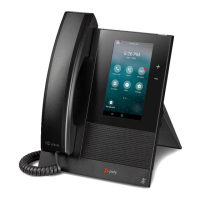
*The information in this guide applies to the Polycom ® CCX 400 Business Phones. Note that congurations vary, and the screen displays
used in this guide may not reect those on your phone. See your system administrator for more information.
www.polycom.com | 1725-44639-001 Rev.A | November 2012 © 2012, Polycom, Inc. All rights reserved. POLYCOM®, the Polycom logo and the
names and marks associated with Polycom’s products are trademarks and/or service marks of Polycom, Inc. and are registered and/
or common law marks in the United States and various other countries. All other trademarks are property of their respective owners.
No portion hereof may be reproduced or transmitted in any form or by any means, for any purpose other than the recipient’s personal
use,without the express written permission of Polycom.
Additional Resources
Business Customer Care: 1-800-658-2150
TeleCloud University:
https://www.vexusber.com/telecloudu/
Polycom® CCX 400® Business Phones




 To Previous Page