Placing a Call
• Lift handset
• Dial extension press a speed dial,
or dial a 10-digit phone number
Answering a Call
• Lift handset OR Press headset or
speaker button
Placing a Call on Hold
• While on a call press Hold
• Line key will flash
Retrieving a Held Call
• Press Resume or the flashing line
key
History/Redial
• Press the Left side of Circle to
scroll through your Received
Calls
• Press the Right side of Circle to
scroll through your Placed Calls
• Press the Bottom of Circle to
scroll through your Missed Calls
• Press Dial to call
Park
• With a call connected, Press
More
• Press Park - it will read out the
extension it is parked at
Retrieving a Parked Call
• Dial the extension the call is
parked at
Do Not Disturb
• press DND
Disable Do Not Disturb
• press DND again
Transferring a Call
Blind Transfer
• While on a call, press Transfer
• press Blind
• Dial number
Consult Transfer
• While on a call, press Transfer
• Dial number
• Wait for the Party to answer,
Announce the call
• Hang up to complete the transfer
Transfer to Voicemail
• While on a call, press Transfer
• Dial *+ extension you want to
transfer to
• Hang up
Conference Calls
• While on a call, press More
• Press Confrnc
• Dial number to add
• Press More
• Press Confrnc again and all
parties will be connected
Note:PressMore,SplittoSplitapart
theconference,tojointhecallsback
together,pressresumesoyouare
talkingwithoneoftheparties,press
More,Join
Forwarding
• Press Forward
• Select when you want to
Forward: Always, No Answer,
Busy
• Enter in the number you want to
forward to
• Press Enable
Disable Forwarding
• Press Forward
• Select the Forwarding option
you want to disable
• Press Disable
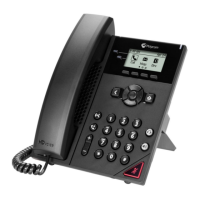
Hard Keys
Transfer–sends a call to third party
Hold–Places a call on Hold
Back–Brings you back one menu level
Home–changes options and settings
Headset–Press this to use a headset
Mute–Makes it so people can’t hear you
Speaker–Takes phone off hook
LeftsideofCircle – Received Calls
RightsideofCircle– Placed Calls
BottomofCircle– Missed Calls
TopofCircle- Favorites
CenterofCircle – Select
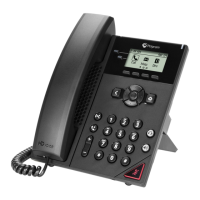
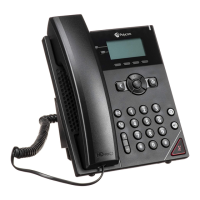
POLYCOM PHONE USER GUIDE – VVX150










 To Next Page

