Patterns can be changed in different manners:
By using the Pattern function key and:
Left/right arrows for a sequential change – patterns change after the currently
playing pattern phrase reaches its end (pattern number will blink red),
Up/down arrows and/or Jog wheel for an immediate pattern change.
By using the Pattern screen button and:
Left/right arrows for a sequential change – patterns change after the currently
playing pattern phrase reaches its end (pattern number will blink red),
Grid pads for an immediate pattern change,
Up/down arrows and/or Jog wheel for an immediate pattern change.
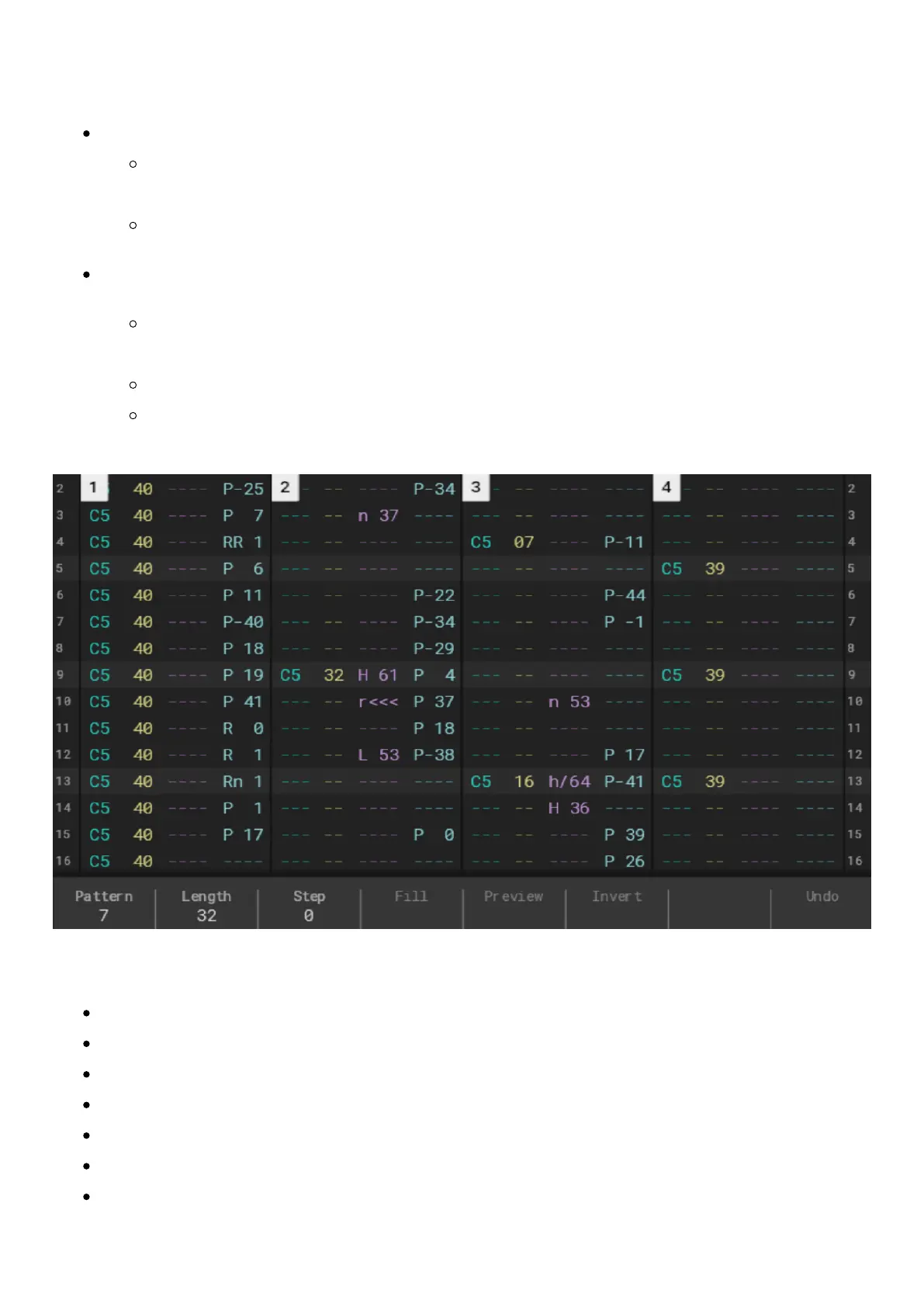
Pattern – screen buttons:
Pattern – choose the currently edited pattern from 1 to 255,
Length – set the length of the current pattern (each pattern can have different lengths),
Step – set the interval for entering the steps by incremental one by one step data input,
Fill – a tool that allows entering multiple steps with different values with just one click,
Preview – previews the selected step or steps within the selection,
Render selection – renders selection to a new audio sample,
Undo – reverts the last made changes,



 To Next Page