TexJet® SHORTEE²
8
NOTE: If there are still gaps or missing lines in the pattern, please
refer to the Quick User Guide for instructions on cleaning the Print
Head.
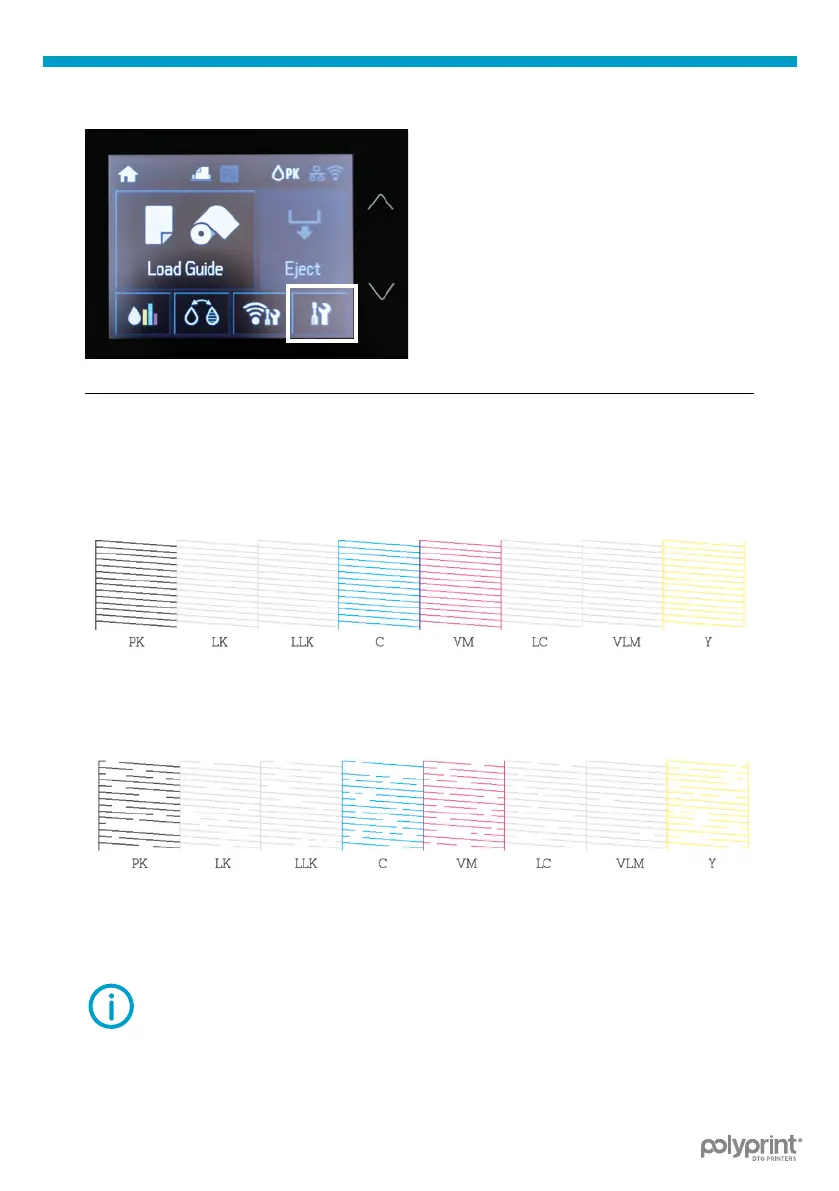
Tap on the Settings button on the
top panel. Tap Maintenance, Print
Head Nozzle Check and Print.
Fig.14: TexJet
®
shortee² Nozzle test.
| 03_STEP
| 04_STEP
Check the pattern. If there are no gaps nozzles are clean.
Fig.15: Nozzle check correct sample.
If there are gaps in the pattern, perform a Head Cleaning.
Fig.16: Nozzle check failed sample.
Select the Settings Menu, tap Maintenance and Head Cleaning option.



 To Next Page