Page 9www.poolpro.com.au
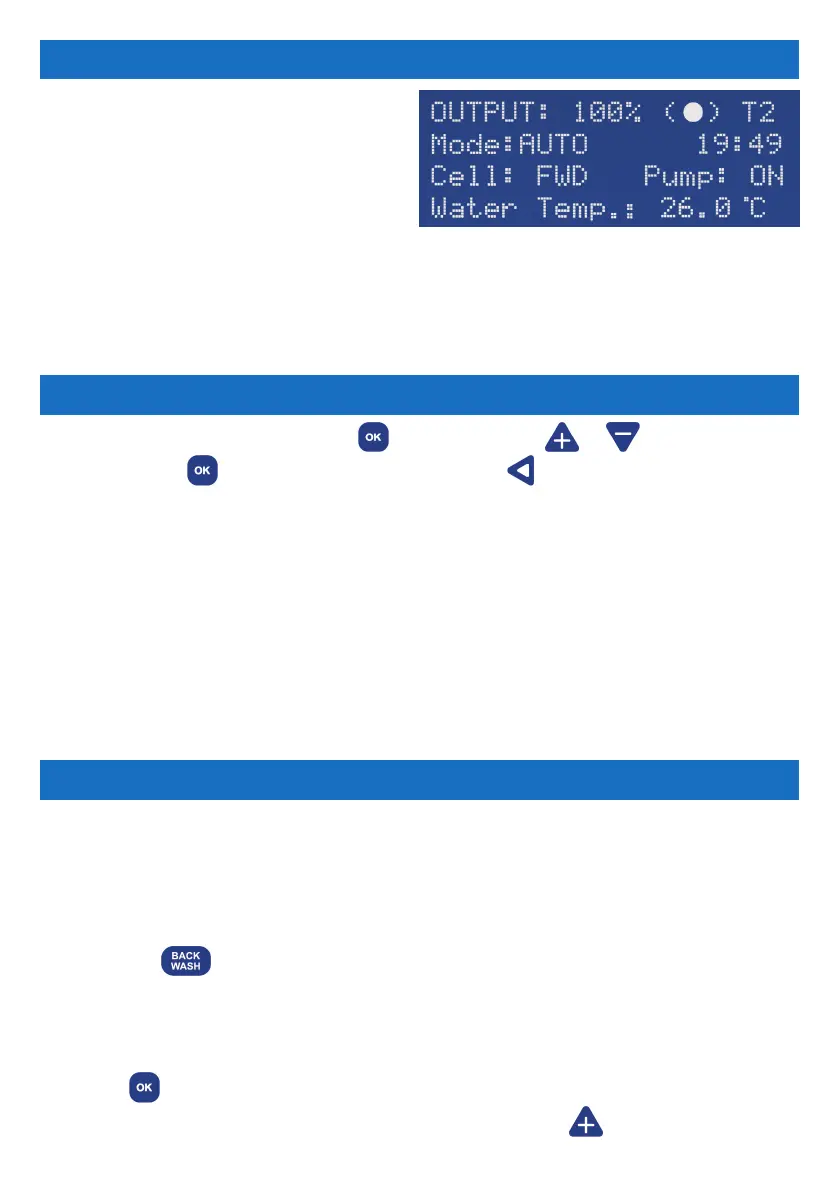
The Main Screen displays the current
settings for the chlorinator.
Output = The output percentage.
(●) symbol = Normal operation.
T1 or T2 = “Single Timer Cycle” or “Dual
Timer Cycle” is selected.
Mode = ON, OFF or AUTO.
HH:MM = The time of day in 24 hour format.
Cell = Cell status (FWD, REV or OFF).
Pump = The status of the pool pump AC socket (ON or OFF).
Water Temp = Pool water’s temperature.
THE MAIN SCREEN
MAIN MENU
To access the main menu, press the button and press or to scroll through
the menu. Press
to select a menu option or press to exit the screen. If there is
no activity for more than 60 seconds in any screen, you will be taken back to the Main
Screen. All menu items are:
1 Backwash
2 Brightness
3 Cell Cleaning
4 Chlor Boost
5 Chlor Setting
6 Clock/Timer
7 Contrast
8 Power/Mode
9 Pump Setting
10 Salt Test
11 Service Menu
12 Spa Mode
13 Winter Mode
BACKWASH
This function runs a backwash process to clean the media inside the pool lter system.
IMPORTANT: Never operate the lter’s multi-port valve lever while the pump is
running, as it may cause damage and leaking. The pump will start and stop as
you require. Ensure all valves, valve handles, lids, baskets etc are in the correct
positions as per the requirements of the manufacturer of the equipment.
1. Press the shortcut button or enter Backwash via the Main Menu. The LCD
screen will display “BACKWASH MODE”.
2. Rotate the lter’s multi-port valve lever to the ‘Backwash’ position and ensure the
handle locks in place. This step is not applicable for cartridge lters.
3. Press to begin the backwash cycle. The pump will start and run for 2 minutes.
A countdown timer will display on the LCD screen. Press to increase the run
Some of the menu items have shortcut buttons on the touchpad, allowing quick access
without going through the main menu. The shortcut buttons are Chlor Boost, Winter
Mode, Clock/Timer, Salt Test and Back Wash.


 To Next Page