10
4. USAge ANd OPeRATION
4.1 Quick Start Guide
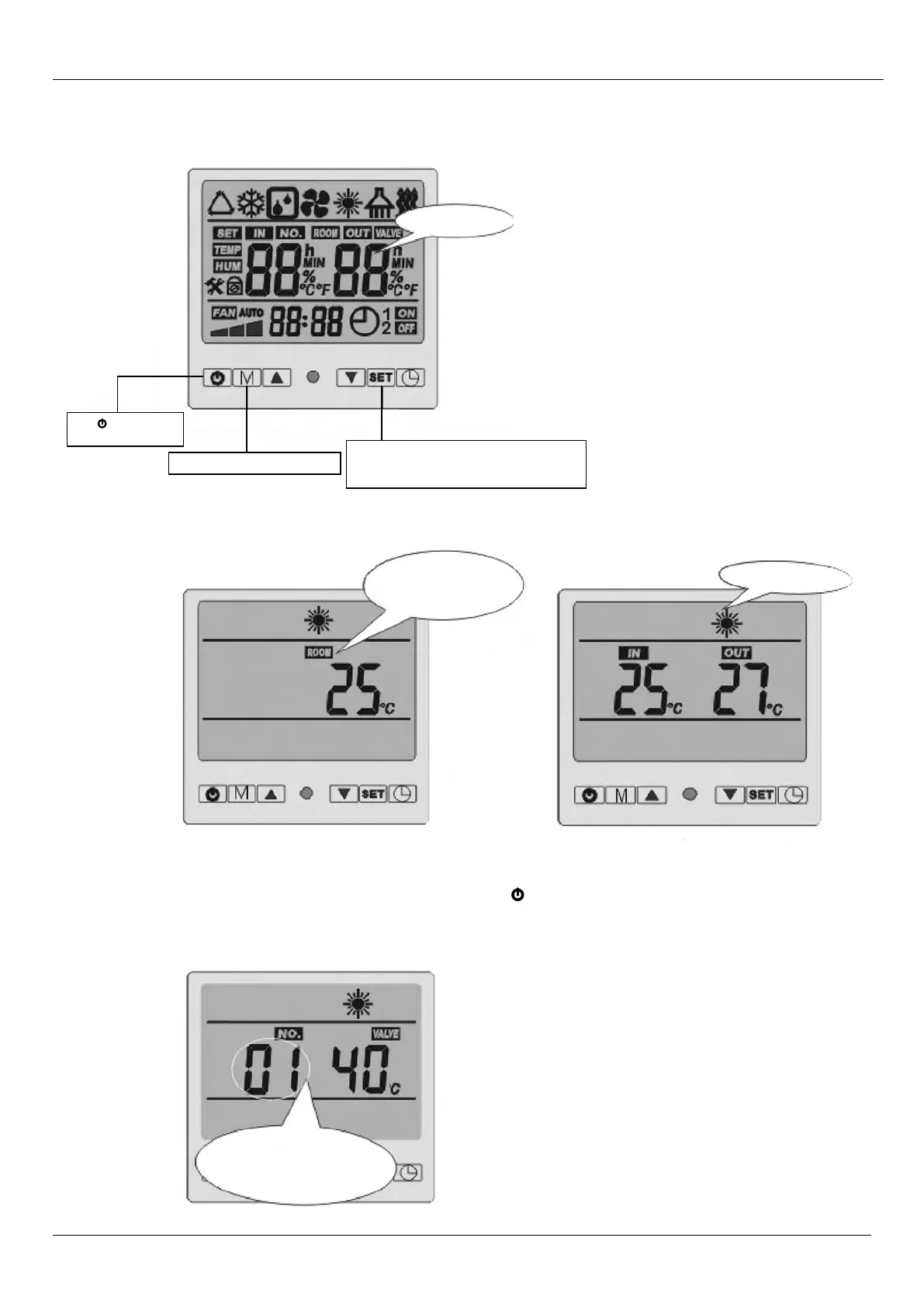
Overview of LCD Remote Panel:
Unit Status – LCD Display Shows:
To Change Desired Temp:
Ensure the unit is in “OFF” Status (above) by pressing Power Button O on far left of LCD remote. Keep pressing “SET”
button until “SET 01” is seen (diagram below). Then change temp settings by using up/down arrows. Press power button
again to turn unit back “ON”.
Press to turn on and
turn off the unit
Press M button to change modes
Press SET to set operation parameter
under standby status or check the operation
parameter under running or standby status.
Initialisation
Heating mode.
Standby status. The LCD
displays ambient temp. and
current mode
Off:
On:
Parameter 01
To set the entering water temp. Under
heating mode (15-40°C).
Default setting: 40°C



 To Next Page