11
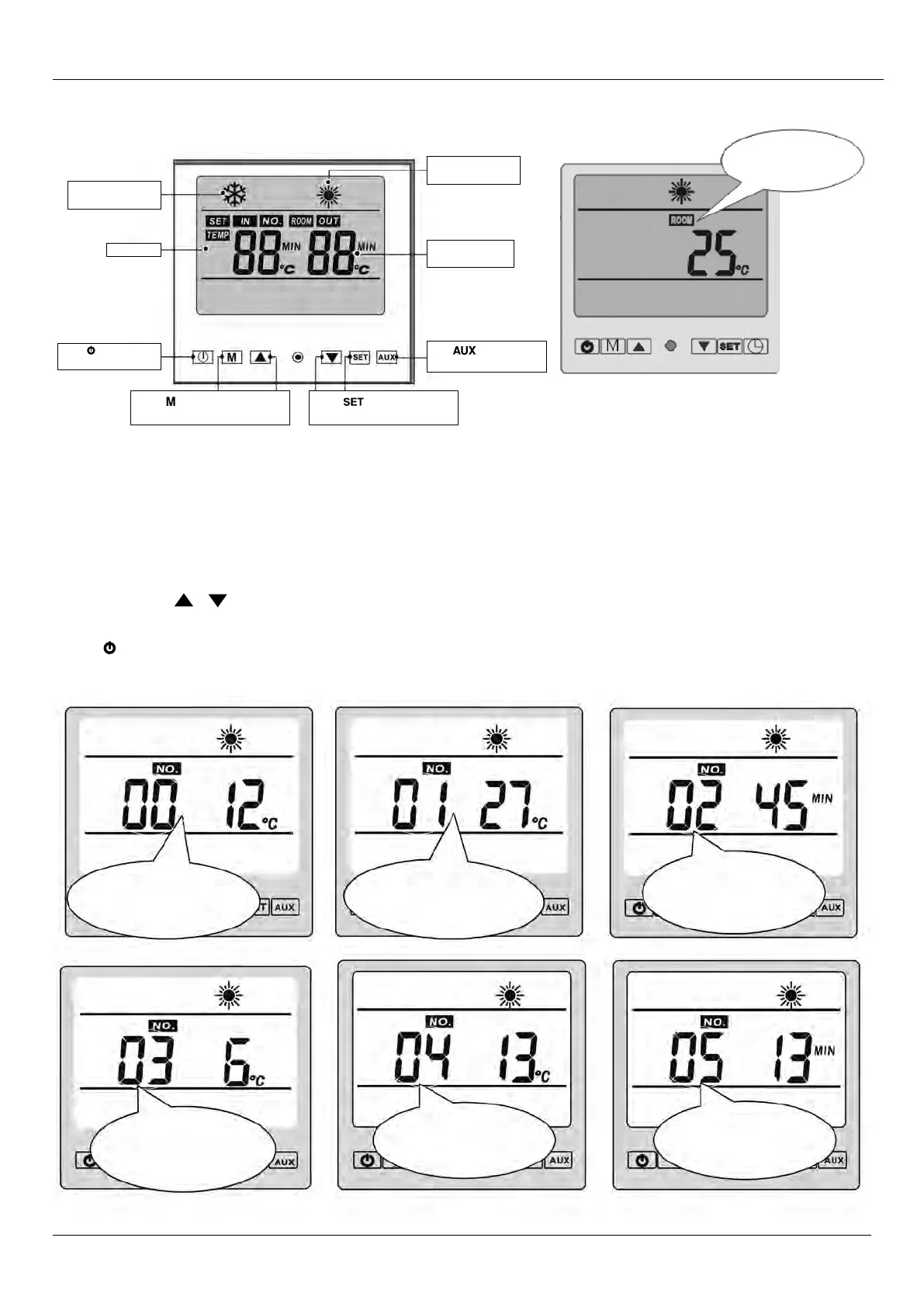
Parameter 00
Cooling Set Point
Parameter 01
Heating Set Point
Parameter 02
Defrost Function
Start Delay
Parameter 03
Defrost Start
Set Point
Parameter 04
Defrost Stop
Set Point
Parameter 05
Defrost Function
Time Limit
Cooling mode
(‘SNOW’ symbol)
LCD Screen
Heating mode
(‘SUN’ symbol)
water outlet temp.
Parameter valve
Press to start auxiliary
electrical heating only
Press to set and check the
operatation data.
Press button to choose cooling
and heating mode
Press to turn on and
turn off the units
Standby status
The LCD display ambient temp.
and current mode.
4. USAge ANd OPeRATION
4.2 The Functions of the LCD Controller
4.3 To adjust the heat pump operation parameters, the unit must be in “Standby”
The unit is in “Standby” when the LCD displays only the “Room temp”
• When in Standby, use the “SET” button to make adjustments to the parameters
• Keep pressing “
SET” to scroll through & make adjustments to the parameters (00–09)
• Note: Parameters 02–09 must be unlocked to make changes. Press & hold both arrow buttons for 3 seconds
to lock & unlock
• Use the arrows “ “ “ “ to change the settings of each parameter
• Check all Parameters re set to correct values (as per table below)
• Press to turn unit on



 To Next Page