4
ENGLISH
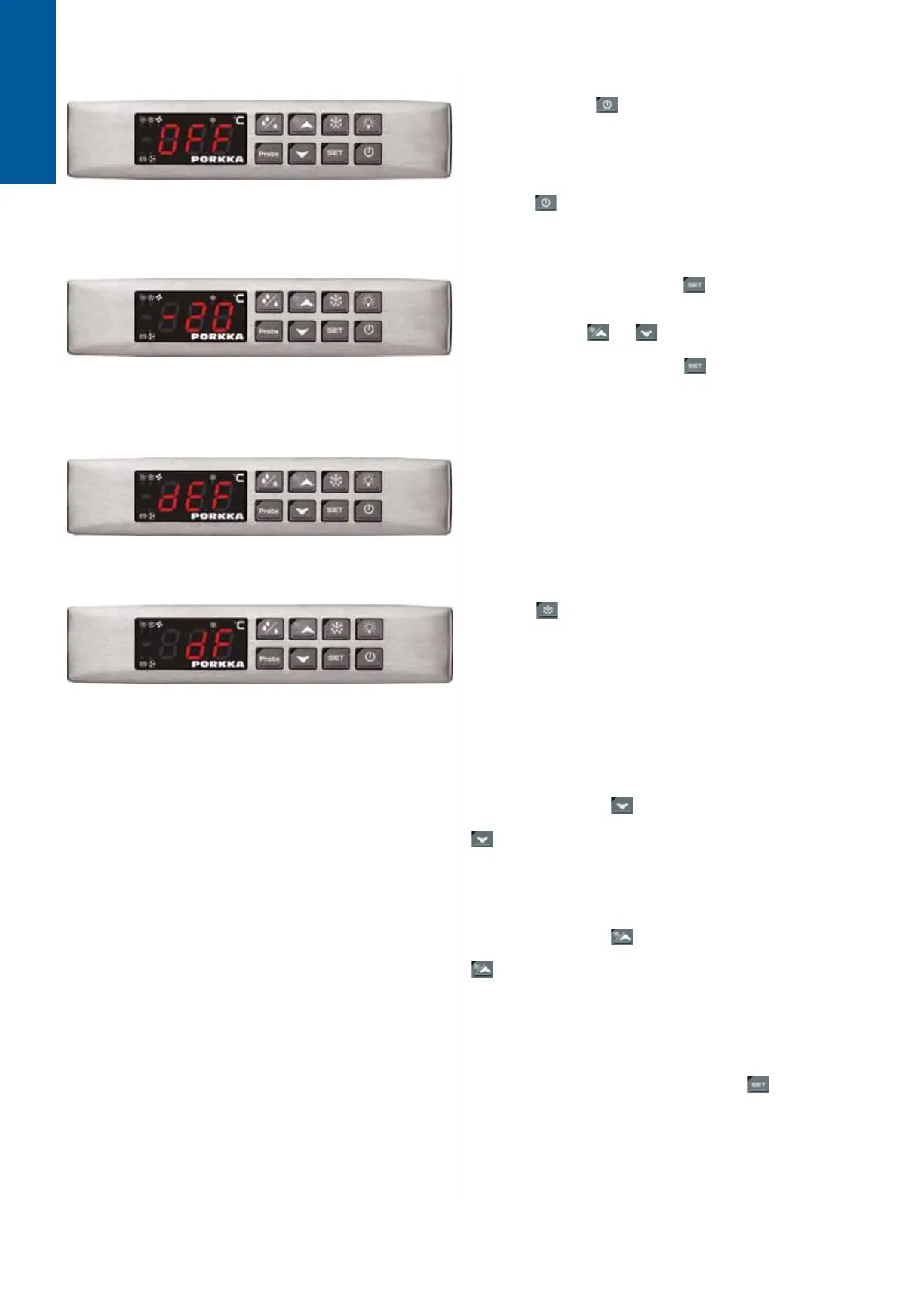
Stand-by
When pressing the
(ON/OFF) button the controller will
display ‘OFF’ for 5 seconds. After this the light at the top right
hand of the switch will be illuminated. Note when switched
‘OFF’ all relays are shut down and the unit will not record either
the controller data and or alarms. NB. The light switch will still
operate as normal.To turn back on (say after deep clean) simply
press the
ON/OFF button again.
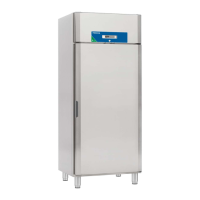
Adjusting the temperature
Push and immediately release the button: the display will
show the Set temperature; The (SET) light at the top right hand
of the button will start to fl ash; Change the set temperature by
pushing either the
or button to the required setting.
N.B, This must be done within 10 seconds. To memorise the
new temperature setting press the
button again or wait 10
seconds.
Defrost
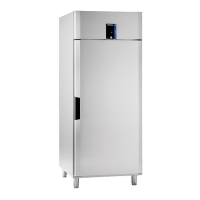
The equipment is designed to take automatic defrosts, during
this period ‘DEF’ will be displayed on the controller. After defrost
period the unit will revert to display actual temperature. Chiller
units will defrost every 12 hours whilst medium and freezer
versions will defrost every 6 hours.
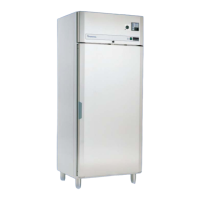
Manual defrost
Press the
button for more than 2 seconds to start a
manual defrost. Manual defrost resets the defrost counter, and
the unit continues to operate automatically after manual defrost.
On certain occasions it may be necessary to initate a manual
defrost, (door left open by accident). Press the button for more
that 2 seconds to start a manual defrost. Initiation of a manual
defrost resets the automatic defrost counter and will continue to
operate automatically thereafter.
To check minimum temperature
Press and release the
button. “Lo” will appear on the
display followed by the minimum temperature logged. Press the
button again or leave for 5 seconds and the display will
revert to the actual temperature within the equipment.
To check maximum temperature
Press and release the button. “Hi” will appear on the
display followed by the highest temperature logged. Press the
button again or leave for 5 seconds and the display will
revert to the actual temperature within the equipment.
To reset the maximum and minimum temperature recorded
To reset the stored temperature, when maximum
or minimum temperature is displayed: Press
button until
“rST” label starts blinking.
NOTE! AFTER THE INSTALLATION RESET THE
TEMPERATURE STORED .



 To Next Page