L
A C FB ED H
Overviews
G I J
K
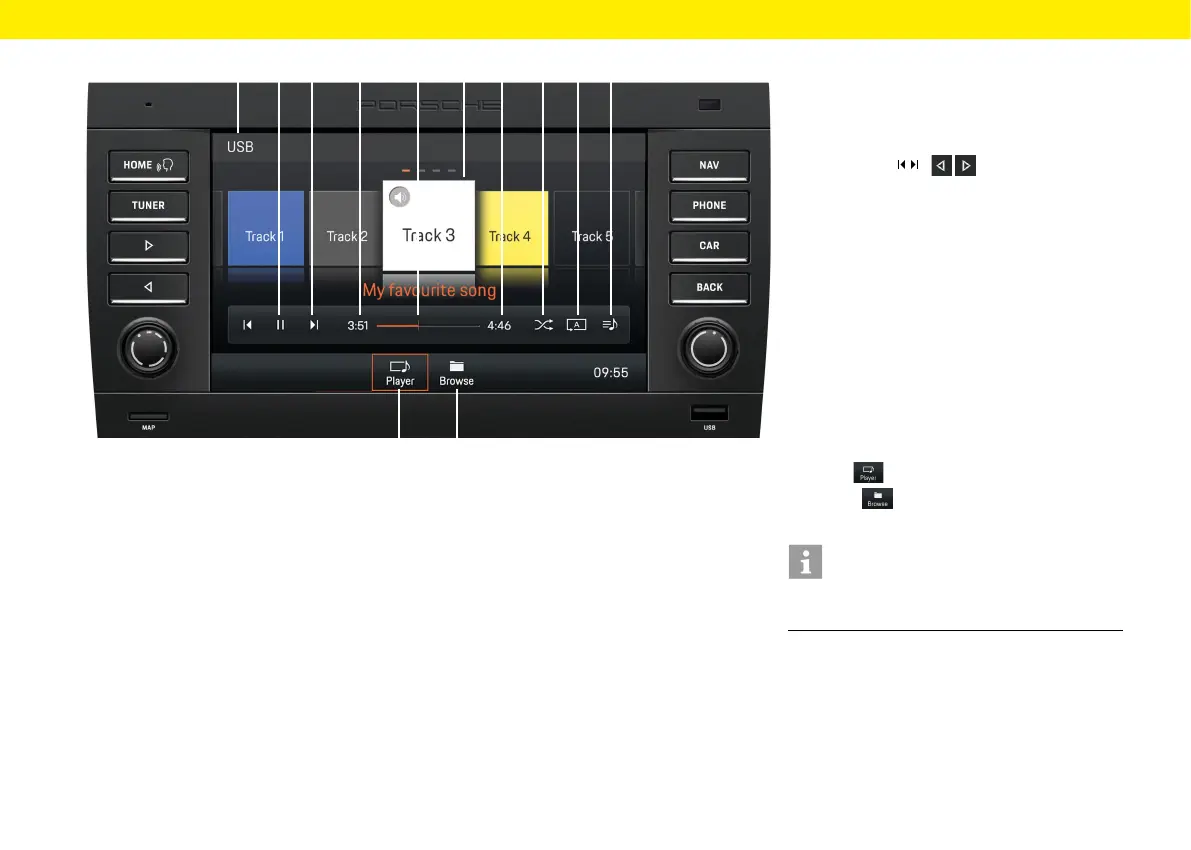
Audio player control elements
A Selected medium: USB/Bluetooth®
B Pause/Play
C Skip buttons /
The Skip buttons allow you to skip to the previ-
ous/next track
D Elapsed play time
E Fast forward/reverse/progress bar
F Song track/artist currently playing
G Total track time
H Shue
Enable/disable shue play
I Repeat
– Repeat all
– Repeat track
– Repeat folder
J All album tracks within the selected playlist
K Player
Main view of the audio player
L Browse
Folder structure of the current
medium
Information
The folder structure is displayed only when playing
from USB media.
18



 To Next Page