Phone
Information
When connecting the mobile phone to the Porsche
Classic Communication Management Plus via
Bluetooth®, the Handsfree Prole (HFP) is used. With
the Handsfree Prole, the Porsche Classic Com-
munication Management Plus acts as a Bluetooth®
hands-free device for the connected mobile phone
and, depending on the mobile phone, can access the
contents of the phone book and call lists. Even aer
the vehicle has been parked, it is possible to transfer
an ongoing call to the mobile phone and continue the
call outside the vehicle when the Bluetooth® connec-
tion is disconnected.
For more information on Bluetooth® proles,
please refer to the operating instructions of the
mobile phone.
Connecting to a known mobile phone
Bluetooth® function of the mobile phone is acti-
vated and visible to other devices.
Bluetooth® function of the Porsche Classic Com-
munication Management Plus is activated.
Mobile phone has already been connected to the
Porsche Classic Communication Management
Plus once.
1. Press the
PHONE
Phone Manager button.
– or –
the
HOME
Phone
Phone Manager
button.
2.
Select mobile phone from list.
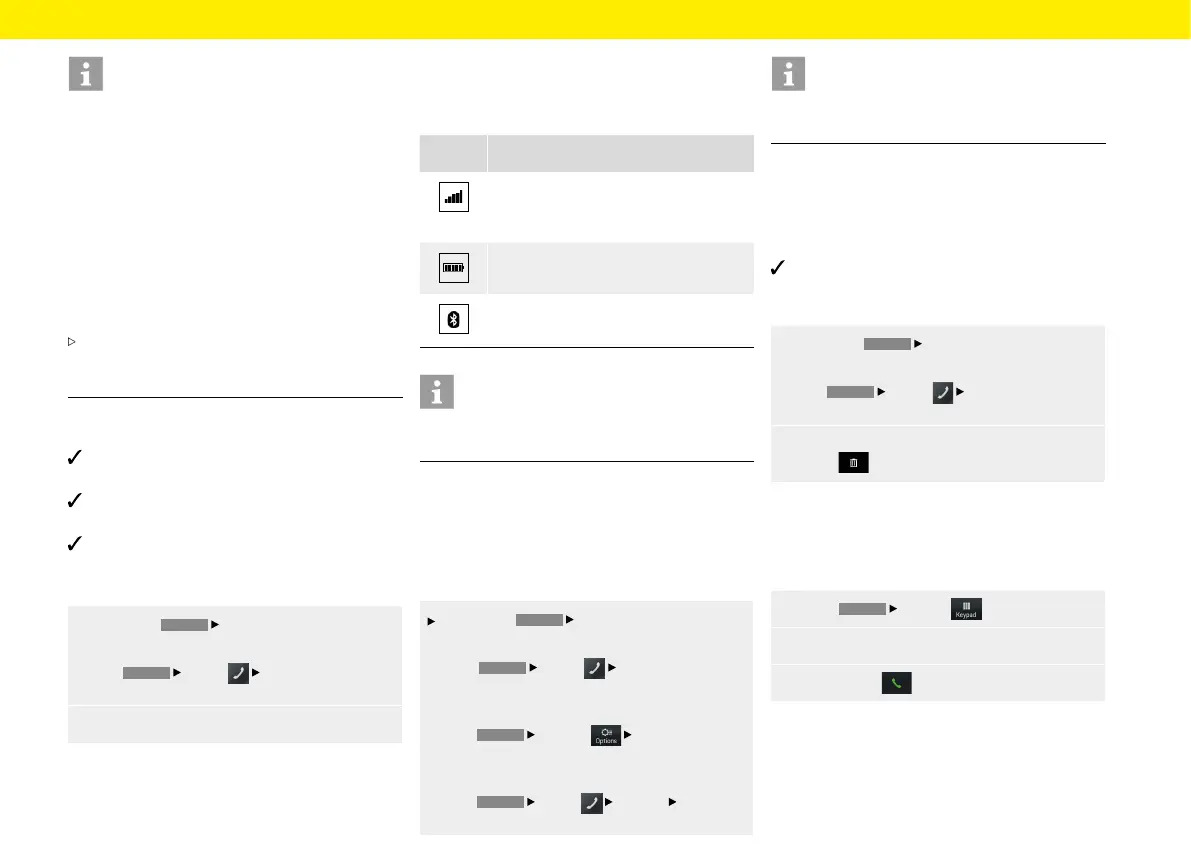
Displaying the connection status
Depending on the connection status, the following
displays are possible in the header:
Symbol Meaning
Telephone connected/reception signal
strength of the mobile network for the
telephone function.
Phone connected/mobile phone charge
indicator.
Bluetooth® function of the Porsche Classic
Communication Management Plus active.
Information
If a mobile phone is already connected, the name
ofthe mobile phone also appears in the header.
Opening Phone Manager
The Phone Manager is used to manage mobile
phones for use with the Porsche Classic Communi-
cation Management Plus. To open Phone Manager,
proceed as follows:
Press the
PHONE
Phone Manager button.
– or –
the
HOME
Phone Phone Manager
button.
– or –
the
PHONE
Options Phone Manager
button.
– or –
the
HOME
Phone Options Phone
Manager button.
Information
If a mobile phone is already connected, the Phone
Manager must be opened via the Options menu.
Deleting a Bluetooth® device from the Phone
Manager
To delete a phone from the Phone Manager, proceed
as follows:
Mobile phone has already been connected to the
Porsche Classic Communication Management
Plus once.
1.
Press the
PHONE
Phone Manager button.
– or –
the
HOME
Phone
Phone Manager
button.
2.
Select the mobile phone from the list and
press
.
Dialling a telephone number
Entering a telephone number (keypad)
To call a number, proceed as follows:
1.
Press
PHONE
Keypad .
2.
Enter the number using the keypad.
3. To call press .
47



 To Next Page