Phone
1.
Press the
PHONE
Options button.
2. Activate or deactivate checkbox External
microphone.
Switching between two calls (toggling)
To toggle between two live calls, proceed as follows:
Call is active.
Call in on-hold.
1.
Press the
PHONE
Options button.
2.
Select the Switch phone calls menu option.
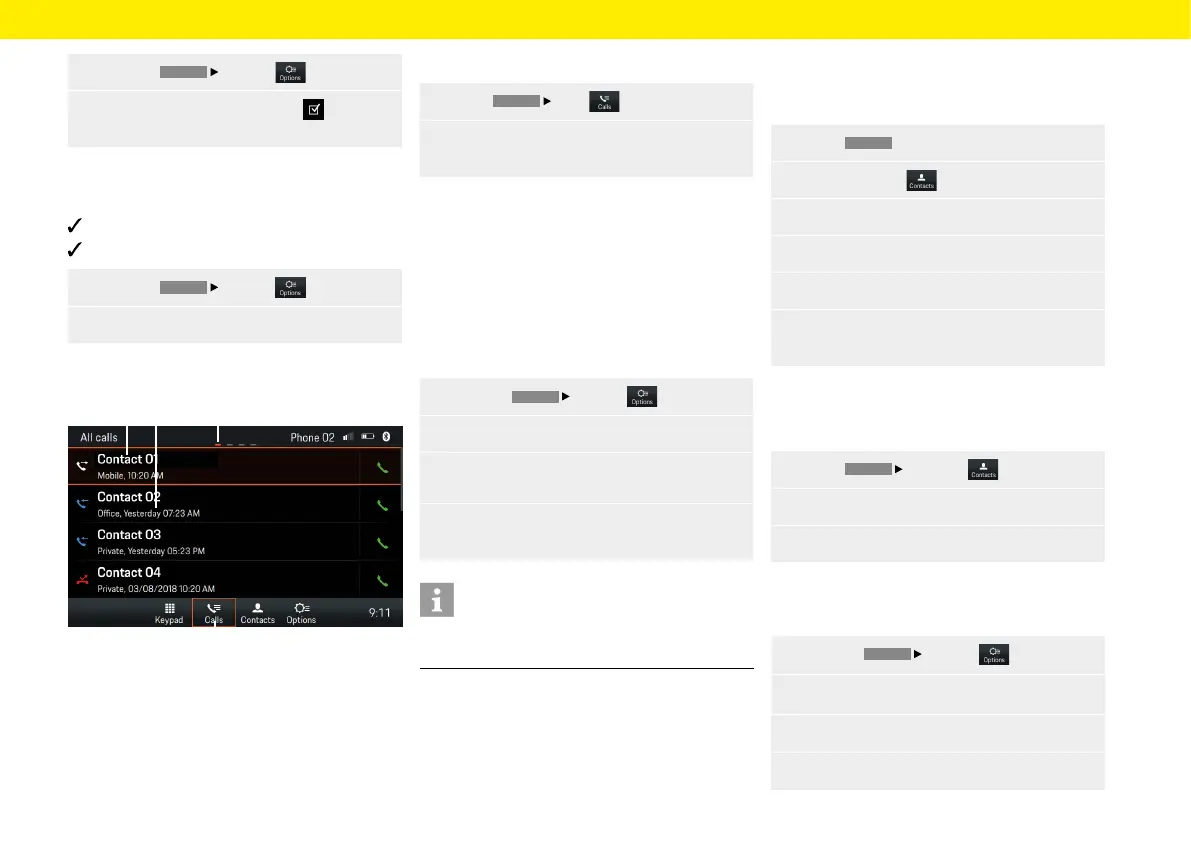
Displaying call list
Fig.: Call history
A Contact/caller
B Date/time/contact type
C Page
D Call history
To display the call lists, proceed as follows:
1.
Select
PHONE
Calls .
2.
Swipe le or right to display All calls, Missed
calls, Outgoing calls or Incoming calls.
Use contacts
Transfer contacts
Once a Bluetooth® connection has been established,
the Porsche Classic Communication Management
Plus will try to transfer the device's phonebook. If the
phonebook is not transferred automatically, it can
be started manually. To transfer manually, proceed
as follows:
1.
Press the
PHONE
Options button.
2. Select the Set contacts menu option.
3.
Select the Contact synchronisation menu
option.
4.
Allow access to your phonebook via the mobile
device.
Information
A maximum of 5000 phonebook entries can
be
transferred per mobile device.
Search contact
To search for a contact from the contact list, proceed
as follows:
1. Select
PHONE
.
2.
Select Contacts .
3. Select Search for contact.
4.
Enter contact via the keypad.
5. Select the contact you want.
6. If other numbers are saved for the contact,
select the one you want.
Calling contact
To call a contact from the contact list, proceed
as follows:
1.
Select
PHONE
Contacts .
2. Select the contact you want.
3. Dial the number you want.
Deleting contact list
To delete the contact list, proceed as follows:
1.
Press the
PHONE
Options button.
2. Select the Set contacts menu option.
3.
Select the Delete contacts menu option.
4.
Select Delete.
C
D
A B
49



 To Next Page