Phone
Sorting contact list
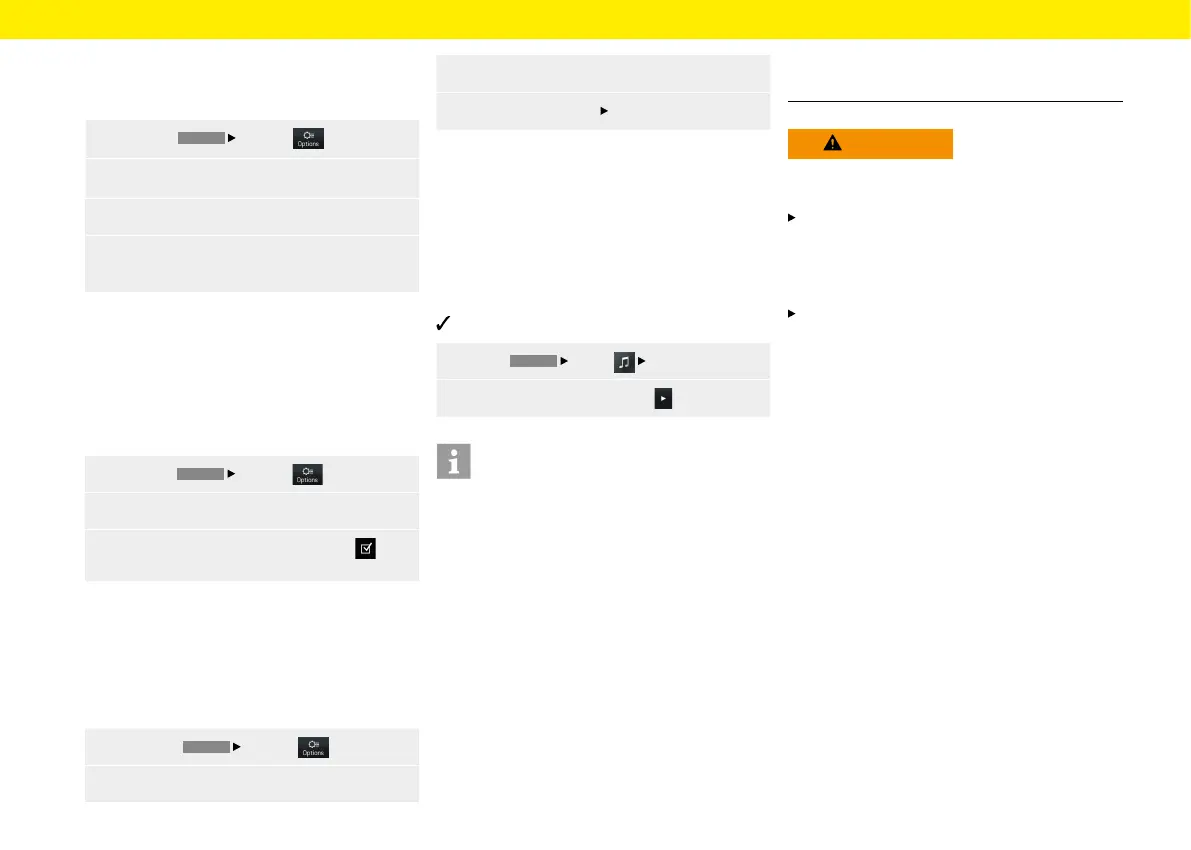
To sort the contact list by rst and last name, pro-
ceed as follows:
1.
Press the
PHONE
Options button.
2.
Select the Set contacts menu option.
3.
Select the Sort contacts menu option.
4.
Select Sort contacts by First name, Surname
or Surname, First name.
Change settings
Auto connect mobile phone
This function allows the mobile device to connect
automatically as soon as it is within range of the Por-
sche Classic Communication Management Plus. To
activate/deactivate this function, proceed as follows:
1.
Press the
PHONE
Options button.
2. Select the Set Bluetooth menu option.
3.
Activate/deactivate the Auto connect
checkbox.
Changing Bluetooth® name
This function allows you to change the name of the
Porsche Classic Communication Management Plus
that is transmitted by the Bluetooth® signal. The
default setting is "PCCM+". To change the name,
proceed as follows:
1.
Select the
PHONE
Options button.
2.
Select the Set Bluetooth menu option.
3. Select the Change Bluetooth name menu option.
4.
Select Change name
OK.
Playing from external audio
sources via Bluetooth®
An external audio source, which is sometimes
operated at the source itself rather than on the
Porsche Classic Communication Management Plus,
can beconnected via Bluetooth®. To play from the
external media source, proceed as follows:
Mobile phone is connected via Bluetooth®.
1.
Select
HOME
Media
Bluetooth.
2.
To play back the media, press .
Information
To connect and operate the external Bluetooth®
audio source, the Porsche Classic Communication
Management Plus supports the A2DP prole. Toex-
tent to which the external Bluetooth® audio source
can be operated on the Porsche Classic Communi-
cation Management Plus depends on the functions
that are supported by the audio source. In certain
cases, therefore, operation of the external Bluetooth®
audio source on Porsche Communication Manage-
ment Plus is limited. In other cases, operation of the
Porsche Classic Communication Management Plus
is not possible at all. In such cases, operation is from
the connected device directly. Please observe the
operating instructions of the device concerned.
To connect the external device via Bluetooth®, please
read "Connecting the mobile device via Bluetooth®".
WARNING
Risk of accident
Distracted driving can cause you to lose control over
the vehicle.
Only operate the external Bluetooth® audio
source when you can operate your vehicle safely
and the trac situation permits. If in doubt, stop
the vehicle and operate the external Bluetooth®
audio source when at a full stop.
Certain apps used for playing from external media
require an active data connection. Additional
costs may be incurred, depending on the mobile
phone tari and especially when operating abroad.
Theuse of a data at rate is recommended.
50



 To Next Page