Phone
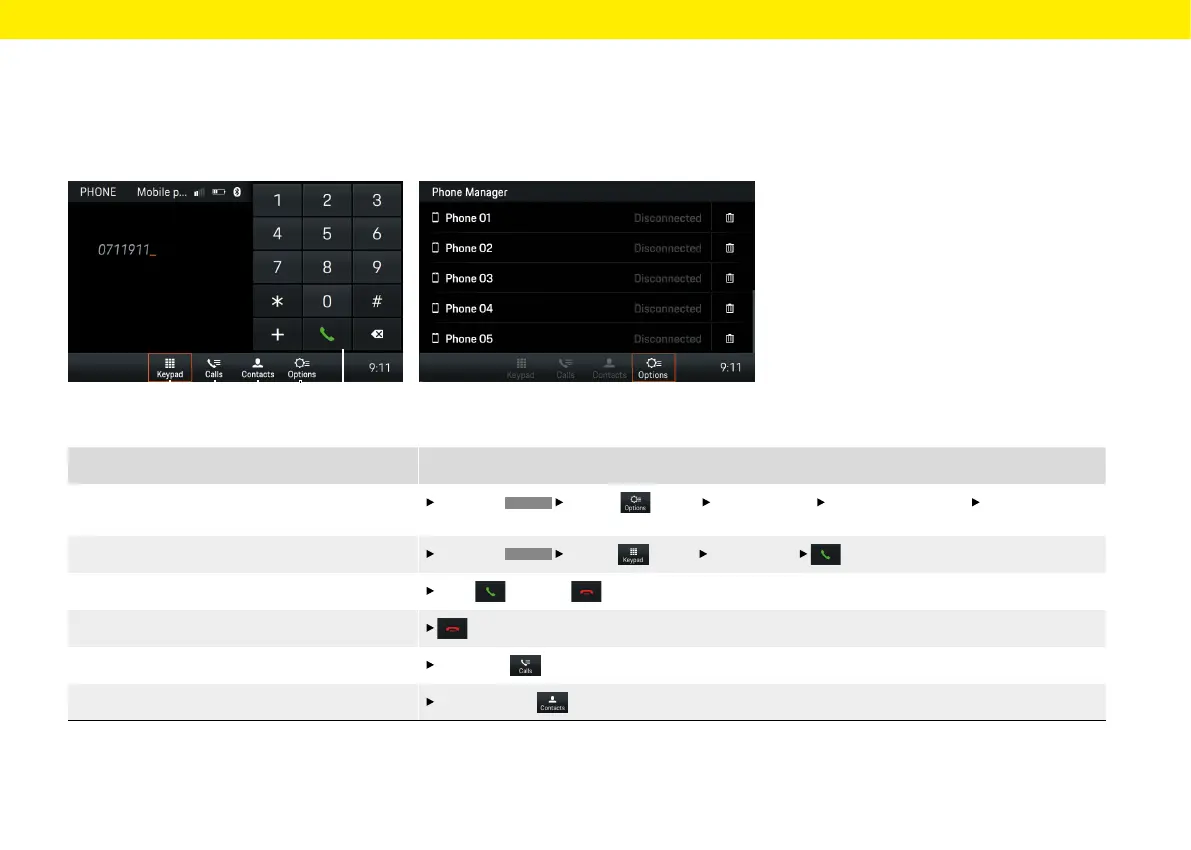
Fig.: Keypad
What do I want to do?
What do I have to do?
Connect a phone via Bluetooth®
Select the
PHONE
Options (see D) Phone Manager Search for new device Select device
button.
Dial number
Select the
PHONE
Keypad (see A) Enter number button (see E).
Accept/reject call
Press accept or reject.
End call in the footer or in the telephone menu.
Display call list Press Calls (see B).
Display contacts
Press Contacts (see C).
Fig.: Phone Manager
A B C D E
Brief overview
This brief overview is no substitute for the complete
descriptions in the "Phone" chapter. In particular,
safety and warning notices are not replaced by this
brief overview.
45



 To Next Page