EasyManua.ls Logo

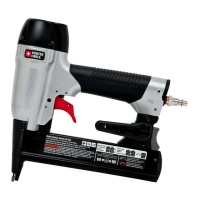
Porter-Cable NS150C - User Manual

Porter-Cable NS150C
4 pages
Print Icon
To Next Page IconTo Next Page
Loading...
A. Trigger
B. Contact trip
C.
No-mar pad
D. Low nail indicator window
E.
Magazine
F. Magazine Release
G.
Air Inlet
H. Rear exhaust
I.
Adjustable belt hook
J.
Depth adjustment wheel
Actuating tool may result in flying debris,
collation material, or dust which could harm
operator’
s eyes. Operator and others in work
area MUST wear safety glasses with side
shields. These safety glasses must conform to
ANSI Z87.1 requirements (approved glases have
“Z87” printed or stamped on them). It is the
employer’s responsibility to enforce the use of
eye protection equipment by the tool operator
and other people in the work area. (Fig. A)

   
and other protection during use. Under some
conditions and duration of use, noise from this
pr
oduct may contribute to hearing loss. (Fig. A)

Conden sation
from an air compr
essor can rust and damage the
internal workings of the tool. (Fig. B)

  Use air pressure
compatible with ratings on the nameplate of
the tool.
[Not to exceed 120 psi (8.3 bar).] Do not
connect the tool to a compressor rated at over
175 psi. The tool operating pressure must never
exceed 175 psi even in the event of regulator
failure. (Fig.
C)
Only use an air hose that is rated for a
maximum working pressur
e of at least 150 psi
(10.3 bar) or 150% of the maximum system
pressure, whichever is greater. (Fig. D)

       
Bot
tled compressed gases such as oxygen,
carbon dioxide, nitrogen, hydrogen, propane,
acetylene or air are not for use with pneumatic
tools. Never use combustible gases or any other
reactive gas as a power source for this tool.
Danger of explosion and/or serious personal
injury may result. (Fig. E)

     
the tool when it is disconnected from the
power supply.
Use hose connectors that shut
off air supply from compressor when the tool is
disconnected. (Fig.
F)
       
use. Always disconnect tool from air supply
and remove fasteners fr
om magazine before
leaving the area or passing the tool to another
operator. Do not carry tool to another work
area in which changing location involves the
use of scaffoldings, stairs, ladders, and the
like, with air supply connected. Do not make
adjustments, remove magazine, perform
maintenance or clear jammed fasteners while
connected to the air supply. If the contact trip
is adjusted when the tool is connected to the air
supply and nails are loaded, accidental discharge
may occur. (Fig. G)
Connect tool to air supply before loading
fasteners to prevent an unintentional fastener
discharge during connection. The tool driving
mechanism may cycle when the tool is connected
to the air supply. Do not load fasteners with the
trigger or the contact trip depressed to prevent
unintentional driving.

     
cause the tool, trigger, or contact trip to

Fig. B
Fig. A
70 psi
4.9 bar
120 psi
8.3 bar
Fig. C

NS150C
Lengths
1/2'' – 1-1/2"
(12.7 mm – 38.1 mm)
Diameters
18 gauge (calibre 18)
Air Inlet 1/4" NPT (1/4 po)
Staple Crown
1/4" (6.4
mm)
Fig. E
Fig. F
Fig. D
Fig. G
Instruction manual
NS150C
CrowN Narrow Stapler
Fig. 1
NS150C
I
H
G
F
J
A
D
C
E
B
DEFINITIONS - SAFETY GUIDELINES
The definitions below describe the level of severity for each
signal wor
d. Please read the manual and pay attention to
these symbols.
Indicates an
imminently hazardous
situation which, if not avoided, will result in death or
serious injury.
In
dicates a potentially hazardous
situation which, if not avoided, could result in death or
serious injury.
Indicates a potentially hazardous
situation which, if not avoided, may result in minor or
moderate injury.
Used without the safety alert symbol
indicates a situation which, if not avoided, may result in
property damage.
SAVE THESE INSTRUCTIONS
I
MPORT
ANT
SAFETY INSTRUCTIONS FOR PNEUMATIC TOOLS
When using any pneumatic tool, all safety precautions, as outlined below, should be followed to avoid the risk of death or serious injury. Read and understand all instructions
before operating the tool.

Questions and Answers

  • T
    Taylor MartinezAug 13, 2025
    Why is air leaking around nose of Porter-Cable Power Tool when actuated?
    • S
      smithsusanAug 13, 2025
      If you're experiencing air leaks around the nose of your Porter-Cable Power Tool when it's in the actuated position (driver blade down), this is likely due to a damaged or worn bumper. Replace the bumper using a Bumper Kit to resolve this issue.
  • A
    andersonjamesAug 16, 2025
    How to fix a Porter-Cable Power Tool top cap that leaks air?
    • B
      Brent DennisAug 16, 2025
      If the top cap of your Porter-Cable Power Tool is leaking air, there are a couple of possible reasons. Check if the cap screws are loose and tighten them using the appropriate hex wrench. Alternatively, the gasket or o-ring might be damaged or worn. In this case, replace the gasket/o-rings using an O-ring Repair Kit.
  • A
    Ariel MartinAug 20, 2025
    What to do if Porter-Cable Power Tool trigger valve housing leaks?
    • L
      Laura MiddletonAug 20, 2025
      If the trigger valve housing of your Porter-Cable Power Tool is leaking, it's likely due to an O-ring or valve stem failure. Replace the valve using a Trigger Valve Kit.
  • D
    Debra JohnsonAug 28, 2025
    Why is my Porter-Cable Power Tool lacking power?
    • R
      Robert EvansAug 28, 2025
      If your Porter-Cable Power Tool lacks power or feels sluggish, start by checking the air supply to ensure it's providing sufficient pressure. If the air supply is adequate, inspect the o-rings for damage or wear and replace them with an O-ring Repair Kit if needed. Another potential cause is a blocked or clogged exhaust port. To resolve this, disconnect the tool from the air supply, remove the exhaust plate from the top of the tool, and clean the port.
  • Q
    qphillipsSep 1, 2025
    What to do if fasteners jam in Porter-Cable Power Tool?
    • K
      Kristina HernandezSep 1, 2025
      If fasteners are jamming in your Porter-Cable Power Tool, several issues could be the cause. A worn driver channel in the nose piece may be the problem, requiring you to replace the nosepiece. Ensure you are using the recommended size and angle fasteners. Check that the magazine screws are holding firmly, as a loose magazine can cause jamming. A worn driver blade should be replaced with a Driver Blade Kit. Also, ensure the nosepiece screws are tightened with the appropriate hex wrench. Finally, verify that fasteners are feeding properly into the nose.
  • A
    Andrea JacksonSep 4, 2025
    What to do if Porter-Cable Power Tool doesn't cycle in cold weather?
    • M
      Maria SparksSep 4, 2025
      If your Porter-Cable Power Tool isn't cycling properly in cold weather, there are several potential causes. First, make sure the tool is receiving an adequate air supply. If the valve may be frozen, try warming up the tool. Also, inspect the o-rings for damage or wear, and replace them with an O-ring Repair Kit if necessary. Finally, a broken or damaged driver blade can cause cycling issues, so consider replacing it with a Driver Blade Kit.
  • R
    Rebecca McintyreSep 8, 2025
    Why is my Porter-Cable Power Tool exhaust leaking?
    • B
      betty51Sep 8, 2025
      If you're experiencing exhaust leaks in your Porter-Cable Power Tool, it could be due to a damaged main seal or o-ring, or debris inside the tool. Replace the gasket/o-rings using an O-ring Repair Kit.
  • L
    Linda ReedNov 23, 2025
    Why is my Porter-Cable Power Tool skipping fasteners?
    • S
      sharmonNov 23, 2025
      If your Porter-Cable Power Tool is skipping fasteners or experiencing intermittent feed, several factors could be at play. First, ensure that the air supply and couplers are not restricted. Next, tighten any loose nosepiece screws using the appropriate hex wrench. Verify you are using the correct size and angle fasteners as recommended. Clean the magazine track and nosepiece if they are dirty. If the magazine is worn, consider replacing it. Inspect the driver blade for damage and replace it with a Driver Blade Kit if necessary. A worn or damaged trigger valve o-ring may also be the culprit, requiring a valve replacement using a Trigger Valve Kit. Check the pusher spring for wear or damage and replace if needed. Lastly, make sure the magazine latch is holding firmly, as a loose magazine can...

Summary

Important Safety Instructions for Pneumatic Tools

Definitions and Safety Signal Words

Defines severity levels for DANGER, WARNING, CAUTION, and NOTICE signals.

Eye and Hearing Protection

Mandates wearing safety glasses with side shields and hearing protection.

Air Supply and Hose Requirements

Specifies using clean, dry, regulated air and appropriate hoses.

Gas Usage and Couplings

Warns against combustible gases and specifies pressure-relief couplings.

Safe Handling and Disconnection

Instructions for disconnecting from air supply and handling the tool.

Trigger and Contact Trip Safety

Precautions for trigger and contact trip to prevent accidental firing.

Operational Precautions

Guidelines on overreaching, intended use, material handling, and recoil.

Triggering Methods

Details sequential and bump action trigger modes and their safe use.

Depth Adjustment Safety

Ensures safe depth adjustment by disconnecting air supply first.

Health and Environmental Warnings

Alerts to chemical exposure, dust generation, and necessary protective measures.

Assembly and Preparation

Trigger Replacement

Step-by-step instructions for removing and installing the trigger assembly.

Tool Preparation and Operation

Steps for preparing the tool, loading fasteners, and actuating the tool.

Depth Adjustment

Procedure for adjusting the depth setting for fasteners.

Tool Maintenance and Operation Conditions

Clearing Jammed Fasteners

Instructions for safely removing jammed fasteners from the tool.

Weather Operation

Guidelines for cold and hot weather operation to ensure tool performance.

Belt Hook Installation

Instructions for attaching or removing the integrated belt hook.

Daily Maintenance

Chart detailing daily actions for tool upkeep and performance.

Troubleshooting Guide

Compressor Selection Guide

Guidance on selecting appropriate air compressors based on tool usage.

Common Issues and Solutions

Lists common tool problems and their recommended repair actions.

Porter-Cable NS150C Specifications

General IconGeneral
Power SourcePneumatic
Magazine Capacity100
Operating Pressure70-120 PSI
TypeNailer
Fastener TypeBrad Nails
Staple Gauge18 gauge
Staple LengthNot Applicable
Cutting Capacity (Steel)Not Applicable
Cutting Capacity (Aluminum)Not Applicable
Stroke LengthNot Applicable
No Load SpeedNot Applicable
VoltageNot Applicable
AmperageNot Applicable
Cord LengthNot Applicable

Related product manuals