To remember the manual settings you have to use MASTER mode. You can set any lighting scene using the
manual control section in the fixture’s menu or play build-in macros. The fixture always switches to DMX
when a DMX wire is connected. After disconnecting DMX in MASTER mode the fixture always goes back to
the last macro/manual setting. After a power reset the unit remembers the last manual/macro settings. If
you are going to control the fixture by onboard manual control it is recommended to use MASTER
OPERATING MODE.
RDM
RDM (Remote Device Management) is an enhancement of the DMX 512 protocol and allows bi-directional
communication between DMX consoles and fixtures. It works simultaneously with DMX 512 and on the
same lines and wires. RDM is not affecting non-RDM devices in a line however, non-RDM devices can
disrupt communication with the console. RDM allows you to change the fixture’s options (such as DMX
address) without even touching neither ladder or fixture’s buttons. The fixture fully supports the RDM
standards.
Manual operation
The fixture works in manual operation when it’s not receiving DMX signal whether wired or wireless. You
can adjust the brightness of all LED sources at once from the main screen, or you can control each source
individually from the “CONTROL ME MANUALLY” option in the menu (refer to the “Menu” chapter to learn
how to manually control channels). To enter the menu simply press “ENTER”.
DMX 512
The fixture automatically switches into DMX mode after receiving DMX data. To learn how to change the
DMX address or signal source (wired or wireless) refer to the “Menu” chapter. When the fixture works in
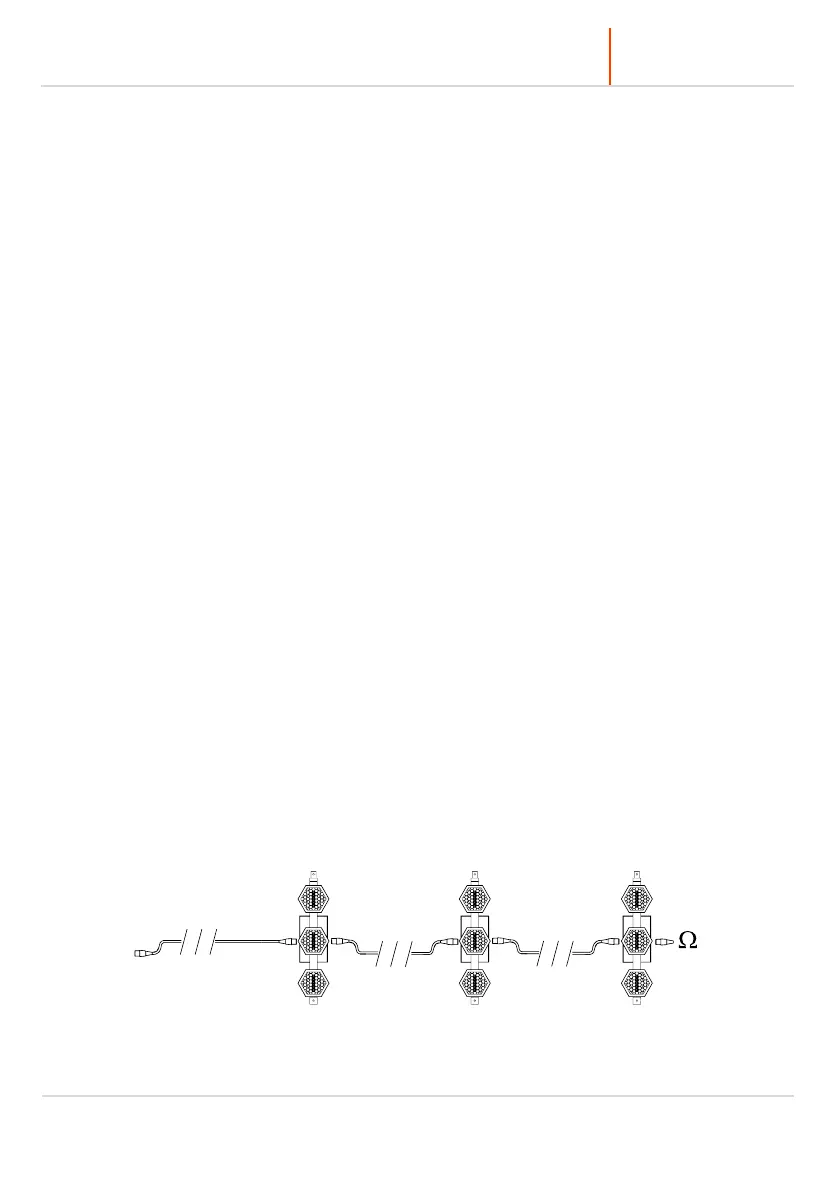
the wired DMX mode You can daisy chain fixtures using 5 pin DMX wires. When daisy-chaining remember,
that you can connect up to 32 devices per DMX 512 universe. Always terminate the DMX 512 line. Put the
120 Ω terminator into the last device’s DMX OUT XLR socket.



 To Next Page