Installation
Before mounting the fixture, read and follow all safety recommendations indicated in the Safety
Information.
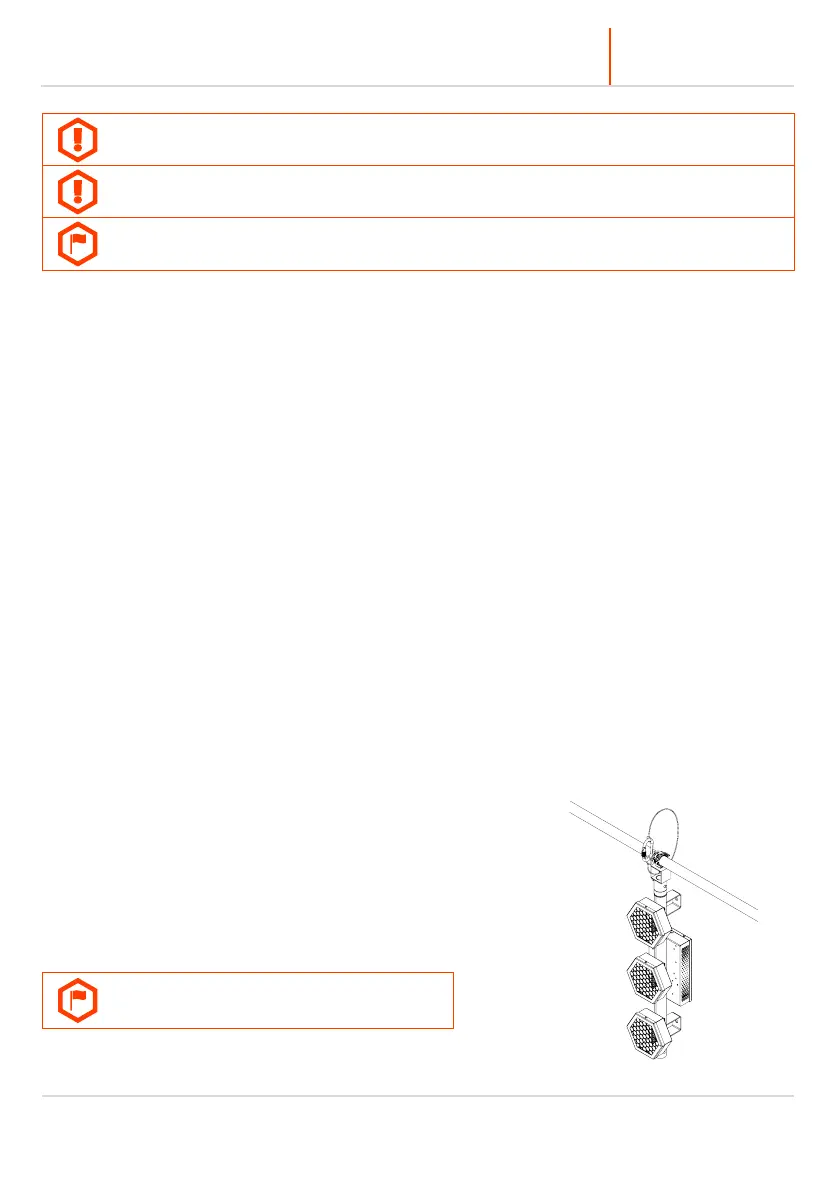
EVO ELEMENT™ may be hung using 2 brackets on the back of the fixture with rigging clamps or hung using
the hanging adapter (included). The fixture may be also installed on the the tripod or on a P2 EVO floor
base (sold separately). To install the fixture on a tripod use the hanging adapter. You can also use a hanging
adapter combined with the male-male connector, which makes it possible to put the fixture in the regular,
not upside-down orientation. The fixture is compatible with E-Conn, the structure building accessory.
Please refer to the E-CONN™ user manual for more information. Please note that the PIXEL order and
MENU orientation can be changed in the menu to the upside down position.
To hang the fixture on a clamp under the truss you have to install the hanging adapter. Always double-
check if the hanging adapter is attached properly to the fixture and the spigot is locked tightly. The back
hanging brackets and the hanging adapter have 15 mm (0,59 in) holes for the spigot or rigging clamp.
Before rigging operations make sure, that the structure onto which you are mounting the fixtures can
withstand the weight of all of the fixtures. Check if there is enough room for ventilation, configuration and
maintenance in the location where you want to place the fixture. You must secure every hanged fixture with
the appropriate safety wire. Make sure there are no people under the work area when hanging fixtures. You
can aim the fixture to any position that you want except towards
the rigging structure. Remember not to let the power and DMX
wires touch the surface of the fixture. Always keep a safe
distance from the closest object.
The fixture may be installed also on optional accessories or
original accessories attached to P2 EVO™.



 To Next Page